Multi-Axis Mounting Guide
Building custom multi-axis systems (XY, XYZ, Theta, or Tilt) is simple with Zaber's modular design.
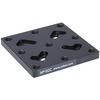
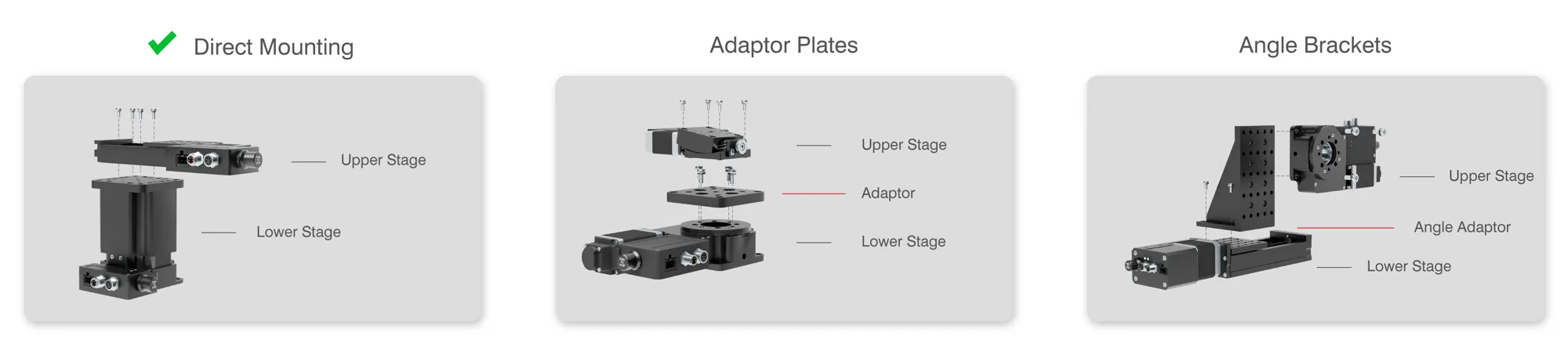
Many stage families share mounting patterns and can be screwed together directly ( ). Others may require a specific adaptor plate or angle bracket to ensure a secure connection.
How to use this guide:
- Direct Stacking: The first table shows which stages mount directly to one another and which require an adaptor plate (flat).
- Vertical Mounting: The subsequent tables list angle bracket(s) to mount stages in an L-shaped (XZ) configuration.
- Additional Notes: An asterisk (*) marks a mounting suggestion with extra requirements or limitations — hover it to read the note.
Can't find your configuration? Contact our Applications Team for help designing the exact system for your specific needs.


Have a Question?
Standard
Upper Stage Lower Stage | |||||
|---|---|---|---|---|---|
AP257*  AP257 is only compatible with the dust cover (BLQ-C) variant. It will interfere with travel a standard BLQ. | |||||
✓* Flux shield should be inserted between DMQ stages to avoid magnetic interference. | ✓ | ✓ | ✓ | ✓ | |
✓ | |||||
✓ | |||||
AP257* AP257 is only compatible with the dust cover (LRQ-C) variant of the LRQ. Other LRQ models will require AP165 to raise the stage mounting surfacer before mounting AP257. | |||||
AP257* AP257 is only compatible with the dust cover (LSQ-C) variant. It will interfere with travel a standard LSQ. |