
Software
Free Beginner-Friendly &
Powerful Expert-Level Software Tools


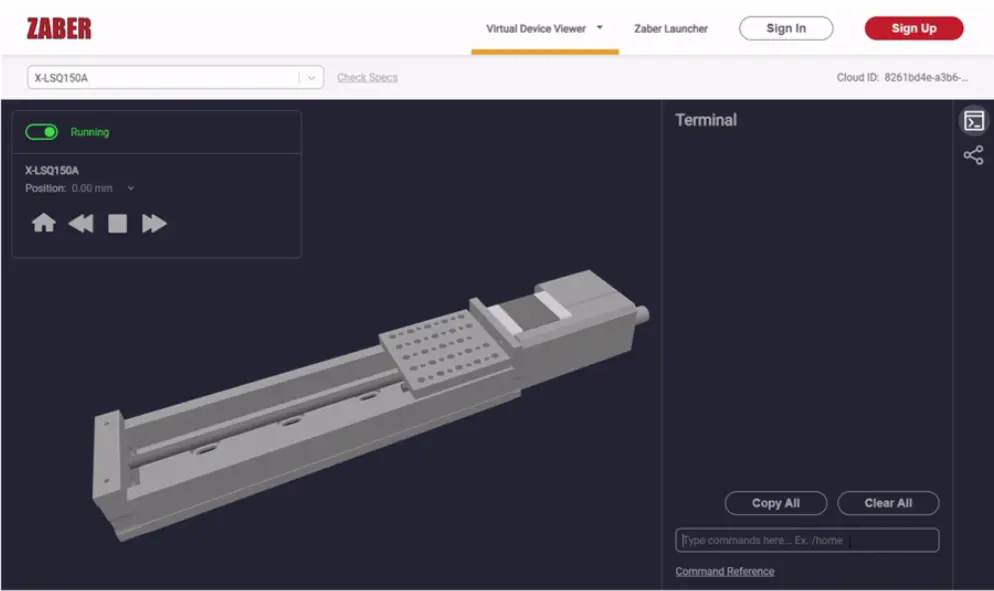
Virtual Device Tool
See Axes In Motion
- Interactive 3D model moves as you test Zaber Launcher software and Zaber Motion Library API.
Negative Lead Time
- Start implementing your own control software even before placing the order.
Reduce Development Cost
- Test your software updates without needing dedicated test hardware.
Zaber Launcher Application
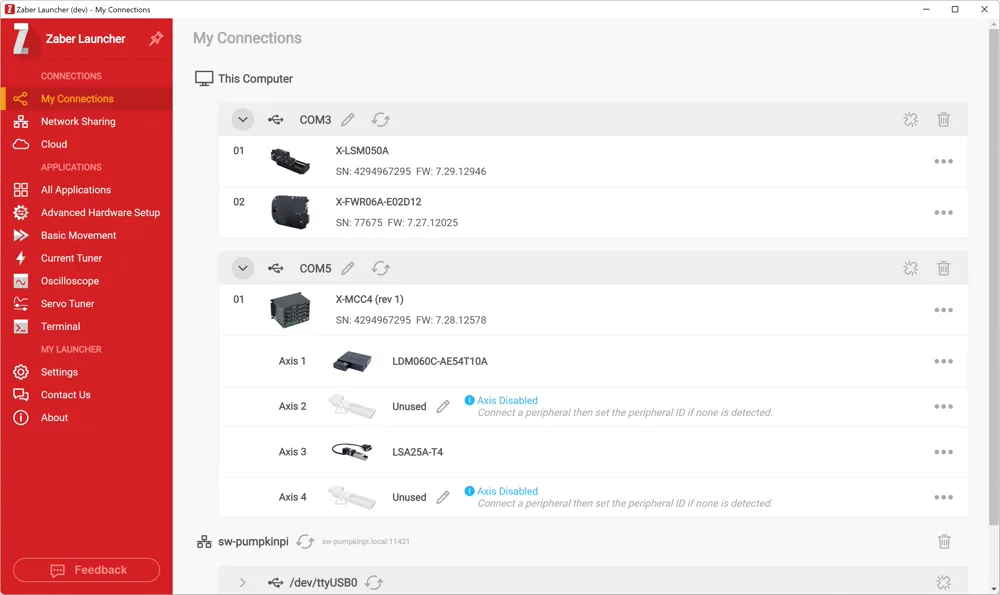
Connect
- Quickly connect using serial ports, USB, Ethernet, or IoT to get started.
Control
- Send basic movements through a friendly graphical interface, or try out advanced apps with powerful motion profiles.
Configure
- Change settings, optimize tuning, and set up triggers to get the performance you want.
Download Now
 Windows
 macOS
macOS
 Linux ( Installation instructions)
Zaber Motion Library
A powerful yet easy-to-use open-source API to write programs on Windows, Linux, and macOS.
Hardware support includes x64, x86 and ARM.
 Python
  MATLAB
  C#
C#  C++
C++  JavaScript
  Java
Java  Octave
  Swift
Swift  LabVIEW
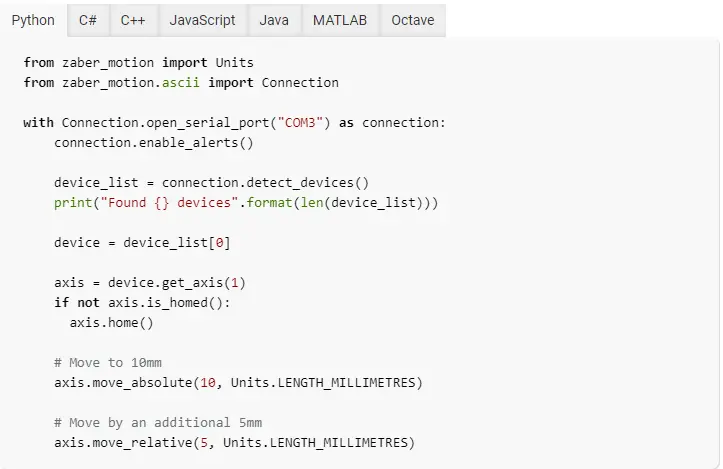
 - Step-by-step installation instructions and your first example script tailored to every supported programming language and platform combination.
- With sample code for each feature in all supported languages, programming becomes nearly a copy-and-paste task.
- Code smarter, not harder. Leverage pre-written routines.
More Libraries

- Zaber's instrument driver includes subVIs and controls that allow low-level control or more advanced operation. Examples are included to highlight some typical use cases.

- Control your devices with an Arduino Microcontroller, no computer required! Integration is easy with Zaber's X-AS01 shield and programming library with helpful examples.

- Need to send commands directly? You can type commands directly to a device using any terminal emulation software, or write your own code in any language that supports serial or network communication.



- Having trouble connecting with our USB adaptor?
Check that you have the appropriate FTDI USB driver installed for your connection.
Have More Questions?
Our support team is happy to help!
Contact Support
Response Time Promise: 1 Business Day

Legacy Support
For the Binary Protocol and Legacy Software, go to the legacy page.