Manuals/ASCII Protocol Manual
This document is applicable to devices with Firmware 6.xx. If your device uses Firmware 7.xx, refer to the Firmware 7 ASCII Protocol Manual. See here for instructions on how to tell which version your device uses.
The ASCII protocol is a format for sending and receiving information with your Zaber devices. It can be used with A-Series and X-Series devices that have firmware 6.06 or higher. It's designed to be an easy and intuitive method for communicating in plain text. This manual will help you set up your connection, choose which software to use, and help you start operating your Zaber Device. There are also references for the list of all commands and settings and the complete message structure.
If you are interested in knowing more about other possible communication protocols, or if your device uses a firmware lower than 6.06, please see the Binary Protocol manual. See Appendix C for how to switch between these protocols.
Conventions Used Throughout this Document
- Fixed width type indicates ASCII characters communicated to and from a device.
- The ↵ symbol indicates a newline. When sending a command to a device, ↵ can be any combination of the Carriage Return (CR, '\r', ASCII code 13) and/or Line Feed (LF, '\n', ASCII code 10) characters. In responses from a device, ↵ includes both the Carriage Return and Line Feed characters.
- Most of the devices covered by this document use stepper motors, so the document refers to microsteps whenever discussing resolution. For devices that do not use stepper motors, the encoder resolution should be substituted.
Previous Versions
As new features are added to the ASCII protocol, archived versions of this manual will become available below. Please consult the correct manual for your device version.
Quick Start
Connecting
Zaber A-Series and X-Series devices support connecting to user equipment over standard serial connections using a human-readable, text-based protocol. This allows these devices to interface with a variety of equipment and software, including:
- Zaber Console
- Zaber Launcher
- Terminal Emulators
- User programs
- PLCs
- Automation and Instrumentation packages
Zaber devices can be up and running in a matter of minutes, no matter what environment is being used.
A-Series and X-Series devices typically communicate over RS232 at 9600 or 115200 baud, with 8 bits, 1 stop bit and no parity, however please refer to the RS232 Communications section of the device-specific User Manual for the correct settings. Characters are not echoed by the device, so if a terminal emulator is being used, it is advisable to turn on local echo.
For detailed instructions on how to set up and configure various communication software, please refer to the Communication Software section below.
Talking to Zaber Devices
Zaber devices listen for Commands sent to them over a serial port and then immediately respond with a Reply. Commands always begin with a / and end with a newline. Some commands take parameters, which are separated by spaces. Two example commands are:
/1 help↵
/1 move abs 10000↵
Where the move command has parameters of abs and 10000.
Replies begin with a @, have 4 or more parameters and end with a newline. For example, the most common reply is:
@01 0 OK IDLE -- 0
Which can be broken down into:
@                    A Reply
 01                  The ID of the device sending the reply
    0                The reply scope. 0 for the device or all axes, 1 onwards for an individual axis.
      OK             The command succeeded.
          IDLE       The device isn't moving, otherwise BUSY if it is moving.
               --    No faults or warnings in the device
                  0  The return value, typically 0.
A complete description of the reply fields is available in the Replies section.
Devices can also send two other types of messages; Alerts, starting with ! and Info, starting with #. Info messages are commonly seen in response to a help command.
Making it Move
Before a device can moved, it first needs to establish a reference to the home position. This is achieved by sending the home command, as shown below:
/home↵
@01 0 OK BUSY WR 0
If the device isn't homed and a move command is attempted, the device will respond with a rejection reply and the Invalid Reference (WR) flag set:
/move rel 10000↵
@01 0 RJ IDLE WR BADDATA
Once the device has been homed, you can make the device move by sending a move command. For example, to move 10000 microsteps forward from the current position:
/move rel 10000↵
@01 0 OK BUSY -- 0
To move 10000 microsteps away from the home position, regardless of the current position:
/move abs 10000↵
@01 0 OK BUSY -- 0
Changing a Device Setting
All of the device settings are read and modified using the get and set commands. For example, to query the device maxspeed:
/get maxspeed
@01 0 OK IDLE -- 153600
The maximum speed setting is currently 153600. The speed in microsteps/sec is calculated as data / 1.6384, which equates to 93750 microsteps/sec for the data value of 153600. If this product's microstep size is 0.1 µm, the speed in µm/sec is 93750 * 0.1, which equates to 9375 µm/sec. Microstep size may be obtained by looking at the relevant Product Page.
On a multi axis device, the same command would return a value for each of the axes. For example:
/get maxspeed
@01 0 OK IDLE -- 153600 153600
To set the device to move at a target speed of 50000 microsteps/sec, the speed setting would be modified as shown below:
/set maxspeed 81920
@01 0 OK IDLE -- 0
On a multi axis device, the command above would set the speed for all axes. To only query or set a value for a specific axis, see the Talking to an Individual Axis section below.
Talking to an Individual Device
Up until now all the commands that have been sent haven't included a device address. If you have more than one device in a chain, you may have noticed that all of the devices moved at once in the Making it Move example above and that multiple responses were received. While this is a handy feature for initial setup, general use requires a way to instruct only an individual device to move.
Devices can be addressed by including their device number before the command. For example, the following command instructs only device 1 to move:
/1 move abs 10000↵
@01 0 OK BUSY -- 0
The valid device addresses are from 1 - 99 inclusive and can include a leading zero for devices 1 - 9. For example either 01 or 1 would both refer to device 1.
Talking to an Individual Axis
On multi axis devices, all the commands shown above would have affected all axes in the device. In order to get only a single axis to move an axis number has to be provided after the device number. The following command would instruct the first axis on a device to move to position 10000.
/1 1 move abs 10000↵
@01 1 OK BUSY -- 0
Note that this time the response scope is 1, indicating that the following information applies to axis 1.
Valid axis numbers are 0 - 9 inclusive, where 0 means all axis of the device, depending on the command or setting.
Built-in Help
All Zaber A-Series and X-Series devices feature built-in help, providing a quick and easy reference for all Commands and Settings that the device has. Help commands require a device number to be provided. For example to access the built-in help for device 1, send: /1 help↵.
The device will respond with a detailed description on how to access specific information about commands and replies, as shown below:
/1 help↵
@01 0 OK IDLE WR 0
#01 0 COMMAND USAGE:
#01 0  '/stop'     stop all devices
#01 0  '/1 stop'   stop device number 1
#01 0  '/1 2 stop'   stop device number 1 axis number 2
#01 0
#01 0 Type '/help commands' for a list of all top-level commands.
#01 0 Type '/help reply' for a quick reference on reply messages.
#01 0 Visit www.zaber.com/support for complete instruction manuals.
Note that you can view a list of all the top level commands available to device 1 by using /1 help commands↵. To access help for a specific command, for example the move command, send:
/1 help move↵
@01 0 OK IDLE -- 0
#01 0 move abs {x}             Move to absolute position
#01 0 move rel {x}             Move by relative position
#01 0 move vel {x}             Move at constant velocity
#01 0 move min                 Move to minimum position
#01 0 move max                 Move to maximum position
Quick Command Reference
The following table offers a quick command and setting reference for ASCII devices. For more detailed information, refer to the Command Reference or Device Settings below.
Quick Commands
Parameters in square brackets, e.g. [clr], indicate that the parameter is optional.
Parameters in italics, e.g. value, indicate that data, typically a number, needs to be provided.
Parameters separated by a pipe, e.g. abs|rel, indicate that one of the parameters in the set need to be provided.
| Command | Scope | Parameter(s) | Returns | Firmware Versions | Description |
|---|---|---|---|---|---|
| calibration | Device | Refer to the documentation below | 0 | 6.24+ | Configure linear encoder calibration. |
| estop | Axis | 0 | 6.06+ | Instantly stops motorized movement. | |
| force | Axis |
abs value |
0 | 6.25+ | Applies a constant or sinusoidal force to a voice coil device. |
| get | Device and Axis | setting | value | 6.06+ | Retrieves the current value of the device or axis setting. |
| help | Device | commands reply warnflags enums command ... enum |
0 | 6.06+ | Displays the help information for the system. |
| home | Axis | 0 | 6.06+ | Moves the axis to the home position. | |
| io info | Device |
[ai|ao|do|di] |
ports | 6.06+ | Returns the number of I/O channels the device has. |
| io get | Device |
ai|ao|do|di [channel] |
value | 6.06+ | Returns the current value of the specified I/O channel type. |
| io set | Device | ao channel value do channel value do port value value2... |
0 | 6.06+ | Sets the specified output channel to value. |
| joystick | Device | Refer to the documentation below | Refer to the documentation below | 6.16+ | Configures joystick axes. |
| key | Device | Refer to the documentation below | Refer to the documentation below | 6.16+ | Configures joystick keys. |
| lockstep | Device | Refer to the documentation below | Refer to the documentation below | 6.15+ | Sets up and controls synchronized motion of a group of parallel axes. |
| move | Axis |
abs|rel|vel value |
0 | 6.06+ | Moves the axis to various positions along its travel. |
| renumber | Device | value | 0 | 6.06+ | Renumbers all devices in the chain. |
| servo | Axis | Refer to the documentation below | Refer to the documentation below | 6.25+ | Configures position control servo tuning of a voice coil device. |
| set | Device and Axis | setting value | 0 | 6.06+ | Sets the device or axis setting setting to the value. |
| stop | Axis | 0 | 6.06+ | Decelerates the axis and brings it to a halt. | |
| stream | Device | Refer to the documentation below | Refer to the documentation below | 6.12+ | Performs an action related to streamed, interpolated motion. |
| system reset | Device | 0 | 6.06+ | Resets the device, as it would appear after power up. | |
| system restore | Device | 0 | 6.06+ | Restores common device settings to their default values. | |
| tools detectholder | Axis | 0 | 6.22+ | Detects the currently installed filter holder. | |
| tools echo | Device | (message) |
0 | 6.06+ | Echoes the provided message (if any) back to the user. |
| tools findrange | Axis | 0 | 6.10+ | Uses the home and away sensors to set the valid range of the axis. | |
| tools gotolimit | Axis | limit dir action update | 0 | 6.06+ | Moves the axis to a limit sensor and performs the provided actions. |
| tools parking | Device |
state|park|unpark |
0|1 |
6.06+ | Parking allows the device to be turned off and used at a later time without first having to home. |
| tools setcomm | Device | rs232baud protocol | 0 | 6.06+ | Sets RS232 baud rate and communication protocol for RS232 and USB. |
| tools storepos | Axis |
number [position|current] |
0|position |
6.06+ | Stores a number of positions for easy movement. |
| trigger | Device | Refer to the documentation below | 0 | 6.06+ | Configures actions to be performed on the device when a certain condition is met. |
| trigger dist | Device | number axis displacement number enable [count] number disable |
0 | 6.06+ | Configures a trigger to toggle a digital output line every displacement microsteps. |
| trigger time | Device | number period number enable [count] number disable |
0 | 6.06+ | Configures a periodic trigger to toggle a digital output line every period milliseconds. |
| virtual | Device | Refer to the documentation below | Refer to the documentation below | 6.18+ | Sets up and controls a pair of axes to allow movement along a virtual axis. |
| warnings | Axis | [clear] |
0 | 6.06+ | Displays the active device and axis warnings, optionally clearing them if applicable. |
Quick Device Settings
The settings listed below can be inspected and modified with the get and set commands described above.
| Setting | Scope | Writable | Firmware Versions | Description |
|---|---|---|---|---|
| accel | Axis | Yes | 6.06+ | Sets the acceleration used to modify the speed. |
| calibration.type | Axis | No | 6.24+ | The type of calibration saved for the axis. |
| cloop.counts | Axis | Yes | 6.06+ | The number of counts generated by the encoder for one full revolution. |
| cloop.displace.tolerance | Axis | Yes | 6.19+ | The minimum deviation in the position of a stationary axis that will register as a displacement. |
| cloop.duration.max | Axis | Yes | 6.17+ | The duration for attempting fine position correction. |
| cloop.mode | Axis | Yes | 6.06+ | The closed-loop (slip, stall, and displacement detection and recovery) control mode. |
| cloop.stalltimeout | Axis | Yes | 6.06+ | The amount of time to wait after a stall/displacement condition, in milliseconds. |
| cloop.steps | Axis | Yes | 6.06+ | The number of full steps required for the motor to complete one revolution. |
| comm.address | Device | Yes | 6.06+ | The device address. |
| comm.alert | Device | Yes | 6.06+ | The device will send alert messages when this setting is 1. |
| comm.checksum | Device | Yes | 6.06+ | The device includes checksums in its messages if this setting is set to 1. |
| comm.protocol | Device | Yes | 6.06+ | The communications protocol used by the device on the current interface. |
| comm.rs232.baud | Device | Yes | 6.06+ | The baud rate used by RS232 Prev and Next interfaces. |
| comm.rs232.protocol | Device | Yes | 6.09+ | The protocol used by RS232 Prev and Next interfaces. |
| comm.rs485.baud | Device | Yes | 6.09+ | The baud rate used by RS485 interface. |
| comm.rs485.enable | Device | Yes | 6.09+ | Enables the RS485 interface. |
| comm.rs485.protocol | Device | Yes | 6.09+ | The protocol used by RS485 interface. |
| comm.usb.protocol | Device | Yes | 6.09+ | The protocol used by the usb interface. |
| deviceid | Device | No | 6.06+ | The device ID for the unit. |
| driver.current.hold | Axis | Yes | 6.06+ | Current used to hold the motor in position, in 20 mA DC increments. |
| driver.current.max | Axis | No | 6.16+ | Maximum legal value of driver.current.hold and driver.current.run. |
| driver.current.run | Axis | Yes | 6.06+ | Current used to drive the motor, in 14.1 mA RMS (20 mA peak) increments. |
| driver.dir | Axis | Yes | 6.06+ | Reverse the motor driver output direction. |
| driver.temperature | Axis | No | 6.06+ | The current temperature of the axis driver, in degrees Celsius. |
| encoder.count | Axis | Yes | 6.06+ | The recorded counts of the axis encoder. |
| encoder.count.calibrated | Axis | No | 6.24+ | The calibrated counts of the axis encoder. |
| encoder.dir | Axis | Yes | 6.06+ | Inverts the counting direction for the axis encoder. |
| encoder.error | Axis | No | 6.17+ | Position error measured by encoder. |
| encoder.fault.type | Axis | Yes | 6.24+ | The type of fault signal provided by the encoder. |
| encoder.filter | Axis | Yes | 6.06+ | Enable and set up digital filtering of the encoder inputs. |
| encoder.index.count | Axis | Yes | 6.06+ | The recorded counts of the axis encoder index pulse. |
| encoder.index.mode | Axis | Yes | 6.06+ | The operating mode of the axis encoder index signal. |
| encoder.index.phase | Axis | Yes | 6.06+ | The required phase for an index pulse to be counted. |
| encoder.mode | Axis | Yes | 6.06+ | The operating mode of the axis encoder. |
| encoder.pos | Axis | No | 6.17+ | Position measured by encoder. |
| filter.holderid | Axis | Yes | 6.22+ | The ID of the installed filter holder. |
| force.average | Axis | Yes | 6.25+ | Average force applied recently by the axis. |
| joy.debug | Device | Yes | 6.16+ | Joystick debugging mode. |
| knob.dir | Axis | Yes | 6.06+ | Sets the movement direction for the knob. |
| knob.distance | Axis | Yes | 6.06+ | Sets how far the device moves with each step of the knob in displacement mode, in units of microsteps. |
| knob.enable | Axis | Yes | 6.06+ | Disable the use of the knob when set to 0. |
| knob.force | Axis | Yes | 6.25+ | The maximum force that can be reached using the knob in force mode. |
| knob.forceprofile | Axis | Yes | 6.25+ | Sets the profile to be used per increment when in force mode. |
| knob.maxspeed | Axis | Yes | 6.06+ | The maximum speed that can be reached using the knob in velocity mode. |
| knob.mode | Axis | Yes | 6.06+ | Sets the mode of the manual control knob. |
| knob.speedprofile | Axis | Yes | 6.06+ | Sets the profile to be used per increment when in velocity mode. |
| limit.approach.maxspeed | Axis | Yes | 6.06+ | Maximum speed used when approaching a limit sensor. |
| limit.cycle.dist | Axis | Yes | 6.20+ | The length of one full rotation. |
| limit.detect.decelonly | Axis | Yes | 6.06+ | Deceleration used when stopping after a limit sensor has triggered. |
| limit.detect.maxspeed | Axis | Yes | 6.06+ | Maximum speed used when moving away from a limit sensor. |
| limit.home.action | Axis | Yes | 6.06+ | Automatic limit switch action. |
| limit.home.edge | Axis | Yes | 6.06+ | Sensor edge to align action to. |
| limit.home.pos | Axis | Yes | 6.06+ | The updated position of the sensor, when triggered. |
| limit.home.posupdate | Axis | Yes | 6.06+ | Position update to occur when sensor is triggered. |
| limit.home.preset | Axis | Yes | 6.06+ | The default position of the home sensor. |
| limit.home.state | Axis | No | 6.06+ | The state of the home sensor. |
| limit.home.triggered | Axis | No | 6.06+ | Whether the home sensor has been triggered previously. |
| limit.home.type | Axis | Yes | 6.06+ | The type of home sensor connected. |
| limit.away.action | Axis | Yes | 6.06+ | Automatic limit switch action. |
| limit.away.edge | Axis | Yes | 6.06+ | Sensor edge to align action to. |
| limit.away.pos | Axis | Yes | 6.06+ | The updated position of the sensor, when triggered. |
| limit.away.posupdate | Axis | Yes | 6.06+ | Position update to occur when sensor is triggered. |
| limit.away.preset | Axis | Yes | 6.06+ | The default position of the away sensor. |
| limit.away.state | Axis | No | 6.06+ | The state of the home sensor. |
| limit.away.triggered | Axis | No | 6.06+ | Whether the away sensor has been triggered previously. |
| limit.away.type | Axis | Yes | 6.06+ | The type of away sensor connected. |
| limit.c.action | Axis | Yes | 6.06+ | Automatic limit switch action. |
| limit.c.edge | Axis | Yes | 6.06+ | Sensor edge to align action to. |
| limit.c.pos | Axis | Yes | 6.06+ | The updated position of the sensor, when triggered. |
| limit.c.posupdate | Axis | Yes | 6.06+ | Position update to occur when sensor is triggered. |
| limit.c.preset | Axis | Yes | 6.06+ | The default position of the c limit sensor. |
| limit.c.state | Axis | No | 6.06+ | The state of the c limit sensor. |
| limit.c.triggered | Axis | No | 6.06+ | Whether the c limit sensor has been triggered previously. |
| limit.c.type | Axis | Yes | 6.06+ | The type of c limit sensor connected. |
| limit.d.action | Axis | Yes | 6.06+ | Automatic limit switch action. |
| limit.d.edge | Axis | Yes | 6.06+ | Sensor edge to align action to. |
| limit.d.pos | Axis | Yes | 6.06+ | The updated position of the sensor, when triggered. |
| limit.d.posupdate | Axis | Yes | 6.06+ | Position update to occur when sensor is triggered. |
| limit.d.preset | Axis | Yes | 6.06+ | The default position of the d limit sensor. |
| limit.d.state | Axis | No | 6.06+ | The state of the d limit sensor. |
| limit.d.triggered | Axis | No | 6.06+ | Whether the d limit sensor has been triggered previously. |
| limit.d.type | Axis | Yes | 6.06+ | The type of d limit sensor connected. |
| limit.max | Axis | Yes | 6.06+ | The maximum position the device can move to, measured in microsteps. |
| limit.min | Axis | Yes | 6.06+ | The minimum position the device can move to, measured in microsteps. |
| limit.start.pos | Axis | Yes | 6.19+ | Start up position of the axis. |
| limit.swapinputs | Axis | Yes | 6.06+ | Reverses the limit positions by swapping the home and away sensors. |
| lockstep.numgroups | Device | No | 6.15+ | The number of lockstep groups provided on the device. |
| lockstep.tolerance | Axis | Yes | 6.15+ | The maximum twist distance between axes in a lockstep group before a stop and untwist occurs. |
| maxspeed | Axis | Yes | 6.06+ | The maximum speed the device moves at. |
| motion.accelonly | Axis | Yes | 6.06+ | Sets the acceleration used to increase the speed. |
| motion.decelonly | Axis | Yes | 6.06+ | Sets the deceleration used when decreasing the speed. |
| motion.index.dist | Axis | Yes | 6.21+ | The distance between consecutive index positions. |
| motion.index.num | Axis | No | 6.22+ | The current index number. |
| peripheralid | Axis | Yes | 6.06+ | The ID of the connected peripheral. |
| peripheral.serial | Axis | Yes | 6.24+ | The serial number of the attached peripheral. |
| pos | Axis | Yes | 6.06+ | The current absolute position of the device. |
| resolution | Axis | Yes | 6.06+ | Microstep resolution |
| stream.numbufs | Device | No | 6.14+ | The number of stream buffers provided in the device. |
| stream.numstreams | Device | No | 6.14+ | The number of streams provided in the device. |
| system.access | Device | Yes | 6.06+ | Sets the access level of the user. |
| system.axiscount | Device | No | 6.06+ | The number of axes in the device. |
| system.current | Device | No | 6.06+ | The current being drawn by the device and motors. |
| system.led.enable | Device | Yes | 6.06+ | Enables the front panel LEDs. |
| system.serial | Device | No | 6.15+ | The serial number of the device. |
| system.temperature | Device | No | 6.06+ | The current temperature of the unit, in degrees Celsius. |
| system.voltage | Device | No | 6.06+ | The voltage being applied to the device. |
| version | Device | No | 6.06+ | The firmware version of the device. |
| version.build | Device | No | 6.17+ | The build number of the device’s firmware. |
| virtual.numvirtual | Device | No | 6.18+ | Number of virtual axes. |
Message Format
The protocol uses a command-reply model, such that:
- Communication must be initiated by a user sending a device a command.
- The device always responds with one reply immediately after a command has been received (except the case mentioned in the Message IDs section below).
- Unless explicitly enabled, a device will not send any message other than a reply to a command.
The content of the message is space-delimited, with consecutive spaces being treated as a single space. There is only one command or response per message. Sending multiple commands in a single message is not supported. See the Message IDs section below for an alternate message format option.
Commands
Commands are sent from the user to one or more devices, which always and immediately respond with a Reply. The data field in the command is case sensitive, space-delimited and depends on the command being executed. See the Command Reference for all the available commands.
A command instructs the device to perform an operation. A typical command message and associated fields are:
- /1 1 move abs 10000↵
- /n a xxxx yyy yyyyy[:CC]ff
- / - Message Type
- Length: 1 byte.
- The message type for a command is always /.
- This field, and the footer, are the only required fields, all others are optional.
- n - Device Address
- Length: 1+ bytes.
- The address indicates which device number should perform the command. The address is optional and if left out, or set to zero, the command is executed by all devices on the chain. Device addresses range from 1 - 99 inclusive.
- Examples of acceptable addresses are:
- 0, 00, 1, 01, 000001, 76, 99, 0x00, 0x01, 0x5A, 0x5a
- Invalid addresses include:
- 100, -1, 0x65 - The addresses are out of range and while the message may be valid, no device will respond.
- a - Axis Number
- Length: 1 bytes.
- The axis number indicates which axis within a device should perform the command. The axis number is optional and if left out, or set to zero, the command is executed by all axes in the device. Axis numbers range from 0 - 9 inclusive.
- xxxx... - Command
- Length: Variable.
- Message data containing command information. The contents are space-delimited.
- The Command Reference below covers the available commands.
- yyy... - Command Parameters
- Length: Variable.
- Message data containing command parameters and data, the contents are space-delimited.
- Numerical values can be in decimal, or hexadecimal when prefixed with 0x.
- Negative values are prefixed with '-'; positive values may optionally be prefixed with '+'.
- The Command Reference below covers the contents of the parameters field for the available commands.
- CC - Message Checksum
- Length: 3 bytes.
- If provided, the device will reject messages that have been corrupted during transmission.
- More information and code examples are provided in the Checksumming section below.
- ff - Message Footer
- Length: 1 - 2 bytes.
- A newline, typically achieved by pressing enter or return. For convenience, the device accepts any ASCII combination of carriage return (CR, \r) and/or line feed (LF, \n) as a message footer.
Smallest Command
The smallest valid command is just /↵ which generates a response from all devices in the chain, as demonstrated below:
- /↵
- @01 0 OK IDLE -- 0
- @03 0 OK IDLE -- 0
- @02 0 OK IDLE -- 0
This can be used as a quick way to check that communications and all devices are functioning as expected.
Longest Command
The maximum command length is 80 characters, including the / and ↵. Devices will not respond to commands longer than this.
Replies
A reply is sent by the device as soon as it has received a command and determined if it should respond. A typical response message and associated fields are:
- @01 0 OK IDLE -- 0↵
- @nn a fl bbbb ww x[:CC]ff
- @ - Message Type
- Length: 1 byte.
- This field always contains @ for a reply message.
- nn - Device Address
- Length: 2 bytes.
- This field contains the address of the device sending the reply, always formatted as two digits.
- a - Axis Number
- Length: 1 byte.
- This field contains the reply scope, from 0 to 9. 0 indicates that the following fields apply to the whole device and all axes on it, otherwise the fields apply to the specific axis indicated.
- fl - Reply Flag
- Length: 2 bytes.
- The reply flag indicates if the message was accepted or rejected and can have the following values:
- OK - The command was valid and accepted by the device.
- RJ - The command was rejected. The data field of the message will contain one of the following reasons:
- AGAIN - The command cannot be processed right now. The user or application should send the command again. Occurs only during streamed motion.
- BADAXIS - The command was sent with an axis number greater than the number of axes available.
- BADCOMMAND - The command or setting is incorrect or invalid.
- BADDATA - The data provided in the command is incorrect or out of range.
- BADMESSAGEID - A message ID was provided, but was not either -- or a number from 0 to 99.
- DEVICEONLY - An axis number was specified when trying to execute a device only command.
- FULL - The device has run out of permanent storage and cannot accept the command. Occurs when storing to a stream buffer or when saving commands to joystick keys.
- LOCKSTEP - An axis cannot be moved using normal motion commands because it is part of a lockstep group. You must use lockstep commands for motion or disable the lockstep group first.
- NOACCESS - The command or setting is not available at the current access level.
- PARKED - The device cannot move because it is currently parked.
- STATUSBUSY - The device cannot be parked, nor can certain settings be changed, because it is currently busy.
- bbbb - Device Status
- Length: 4 bytes.
- This field contains BUSY when the axis is moving and IDLE otherwise. All movement commands, including stop, put the axis into the BUSY state, while they are being executed. During streamed motion, wait commands are considered to be busy, not idle. If the reply message applies to the whole device, the status is BUSY if any axis is busy and IDLE if all axes are idle.
- ww - Warning Flag
- Length: 2 bytes.
- Contains the highest priority warning currently active for the device or axis, or -- under normal conditions. A full description of the flags is available in the Warning Flags Section.
- xxx.. - Response Data
- Length: 1+ bytes.
- The response for the command executed. The contents and format of this field vary depending on the command, but is typically 0 (zero).
- CC - Message Checksum
- Length: 3 bytes.
- A device will append a checksum to all replies if the comm.checksum setting is configured to 1. More information and code examples are provided in the Checksumming section below.
- ff - Message Footer
- Length: 2 bytes.
- This field always contains a CR-LF combination (\r\n) for a reply message.
Replies on Multi axis Devices
For replies with an axis number of 0, the status and warning flags apply to the whole device. If any axis on the device is moving, then the reply status will be busy. Similarly the warning flags show the highest warning across all axes.
For replies with an axis number of 1 or above, the status and warning flags only apply to the axis indicated.
Warning Flags
A warning flag is provided in each device-to-user reply message, indicating whether any device fault or warning is active. If more than one condition is active, it shows the one with highest precedence.
There are three categories of warning flags:
- Fault: Flags in this category indicate an event that has immediate consequences to the behaviour of the device. As a result, the device may have deviated from its trajectory or stopped.
- Warning: Flags in this category indicate that continued operation may lead to unexpected behaviour.
- Note: Flags in this category indicate that an event should be noted by the user before continued operation, but is part of normal device operation.
The warning flags are defined as follows, with the highest priority first:
- FD Fault - Driver Disabled
- The driver has disabled itself due to overheating.
- This warning persists until the driver returns to normal operating conditions.
- On a voice coil axis, this will occur if driver.temperature exceeds 70°C. Once the axis has cooled, send system reset to re-enable the driver.
- FQ Fault - Encoder Error
- The encoder-measured position may be unreliable. The encoder has encountered a read error due to poor sensor alignment, vibration, dirt or other environmental conditions. A home operation is recommended to recalibrate encoder reference position.
- If a controller is set with a peripheral ID of a peripheral with a direct encoder, this flag may appear when the peripheral is not connected. Send system reset after connecting the peripheral to clear the warning.
- This warning persists until acknowledged and cleared by the user with the warnings command.
- Please contact Zaber's technical support if this error persists.
- FS Fault - Stalled and Stopped
- Stalling was detected and the axis has stopped itself.
- This warning persists until acknowledged and cleared by the user with the warnings command.
- FT Fault - Excessive Twist
- The lockstep group has exceeded allowable twist and has stopped.
- This warning persists until acknowledged and cleared by the user with the warnings command.
- FB Fault - Stream Bounds Error
- A previous streamed motion could not be executed because it failed a precondition (e.g. motion exceeds device bounds, calls nested too deeply).
- The error reason can be obtained using the stream info command.
- This warning persists until acknowledged and cleared by the user with the warnings command; also, until the warning is cleared, no further streamed motions can be sent to the failed stream.
- FP Fault - Interpolated Path Deviation
- Streamed or sinusoidal motion was terminated because an axis slipped and thus the device deviated from the requested path.
- This warning persists until acknowledged and cleared by the user with the warnings command.
- FE Fault - Limit Error
- The target limit sensor cannot be reached or is faulty.
- This warning persists until acknowledged and cleared by the user with the warnings command.
- WH Warning - Device not homed
- The device has a position reference, but has not been homed. As a result, calibration has been disabled. Home the device to re-enable calibration.
- This warning persists until the device has been homed.
- WL Warning - Unexpected Limit Trigger
- A movement operation did not complete due to a triggered limit sensor. This flag is set if a movement operation is interrupted by a limit sensor and the No Reference Position (WR) warning flag is not present. This may be an indication that the axis has slipped or one of limit.min and limit.max is incorrect.
- This warning persists until acknowledged and cleared by the user with the warnings command.
- WP Warning - Invalid calibration type
- The saved calibration data type for the specified peripheral.serial value is unsupported by the current peripheralid.
- This warning persists until a valid combination of calibration data, peripheralid, and peripheral.serial is provided.
- WV Warning - Voltage Out of Range
- The supply voltage is outside the recommended operating range of the device. Damage could result to the device if not remedied.
- This warning persists until the condition is remedied.
- WT Warning - Controller Temperature High
- The internal temperature of the controller has exceeded the recommended limit for the device.
- This warning persists until the over temperature condition is remedied.
- WM Warning - Displaced when Stationary
- While not in motion, the axis has been forced out of its position.
- This warning persists until the axis is moved.
- WR Warning - No Reference Position
- Axis has not had a reference position established.
- This warning persists until the axis position is updated via homing or any command/action that sets position.
- NC Note - Manual Control
- Axis is busy due to manual control via the knob.
- This warning persists until a movement command is issued.
- NI Note - Command Interrupted
- A movement operation (command or manual control) was requested while the axis was executing another movement command. This indicates that a movement command did not complete.
- This warning persists until a movement command is issued when the axis is either idle or executing a manual control movement.
- ND Note - Stream Discontinuity
- The device has slowed down while following a streamed motion path because it has run out of queued motions.
- This warning persists until the stream has enough motions queued that it no longer needs to decelerate for that reason, or until the stream is disabled.
- NU Note - Setting Update Pending
- A setting is pending to be updated or a reset is pending.
- This warning is cleared automatically, once the settings have been updated or the device has reset.
- NJ Note - Joystick Calibrating
- Joystick calibration is in progress. Moving the joystick will have no effect.
- This warning persists until joystick calibration is complete.
- NB Note - Firmware Update Mode
- The device is in Firmware Update mode. The firmware is either being updated, or the update was interrupted.
- If you see this warning and the device is not being updated, try updating firmware through Zaber Console.
- The warning persists until the update is successfully completed and the device resumes normal operation.
To see and clear all current warnings, use the warnings command.
Info
This message type contains extra information from the device for testing/debugging/programming purposes. One or more info messages can follow a reply or alert message. This message type is designed to be read by the user and to be ignored by software.
A typical info message and its fields are:
- #01 0 Visit www.zaber.com for instruction manuals.↵
- #nn a xxxxxxxxxxxxx...[:CC]ff
- # - Message Type
- Length: 1 byte.
- This field always contains # for an info message.
- nn - Device Address
- Length: 2 bytes.
- This field contains the address of the device sending the reply, always formatted as two digits.
- a - Axis number.
- Length: 1 byte.
- Always 0 for info messages.
- xxx.. - Data
- Length: 1+ bytes.
- The data for the info message, typically human readable text.
- CC - Message Checksum
- Length: 3 bytes.
- A device will append a checksum to all info messages if the comm.checksum setting is configured to 1. More information and code examples are provided in the Checksumming section below.
- ff - Message Footer
- Length: 2 bytes.
- This field always contains a CR-LF combination (\r\n) for a info message.
The common occurrence of info messages is in reply to a help command, e.g.:
/1 help↵
@01 0 OK IDLE WR 0
#01 0 COMMAND USAGE:
#01 0  '/stop'     stop all devices
#01 0  '/1 stop'   stop device number 1
#01 0  '/1 2 stop'   stop device number 1 axis number 2
#01 0
#01 0 Type '/help commands' for a list of all top-level commands.
#01 0 Type '/help reply' for a quick reference on reply messages.
#01 0 Visit www.zaber.com/support for complete instruction manuals.
Alerts
An alert message is sent from a device when a motion command has completed.
If it is enabled, this message can be sent at any time without being preceded by a command from the user. This message type is used for informational purposes or time-sensitive operations.
Alerts are controlled by the comm.alert setting, which has to be 1 for the device to send status alerts.
A typical alert message and its fields are:
- !01 1 IDLE --↵
- !nn a ssss ww[:CC]ff
- ! - Message Type
- Length: 1 byte.
- This field always contains ! for an alert message.
- nn - Device Address
- Length: 2 bytes.
- This field contains the address of the device sending the alert, always formatted as two digits.
- a - Axis Number
- Length: 1 byte.
- ssss - Device status.
- Length: 4 bytes.
- This field contains BUSY when the axis is moving and IDLE when the axis is stopped.
- ww - Warning flags.
- Length: 2 bytes.
- Contains the highest priority warning currently active for the axis, or -- under normal conditions. A full description of the flags is available in the Warning Flags Section.
- CC - Message Checksum
- Length: 3 bytes.
- A device will append a checksum to all alert messages if the comm.checksum setting is configured to 1. More information and code examples are provided in the Checksumming section below.
- ff - Message Footer
- Length: 2 bytes.
- This field always contains a CR-LF combination (\r\n) for an alert message.
Multi axis Alerts
On a multi axis device with completion alerts enabled, an alert will be generated each time an axis stops. In the example below, axis 2 is closer to its maximum position than axis 1 is:
/move max↵
@01 0 OK BUSY -- 0
!01 2 IDLE --
!01 1 IDLE --
The first alert is generated when axis 2 stops, and as that axis is idle, the axis-scope reply has IDLE in its ssss field, even though the device as a whole is still busy due to axis 1 moving. The second alert is generated when axis 1 stops.
Lockstep
When a lockstep set becomes idle, only one alert is generated. The axis number corresponds to the primary axis of the set (axis1 specified in the setup enable command).
Command Reference
The following section details all commands that are available in the ASCII protocol. For specific device support of a command, please refer to that device's User Manual.
For commands with a device scope, specifying an axis number other than zero in the command will result in a DEVICEONLY error, as shown below:
/1 tools parking park↵
@01 0 OK IDLE -- 0
/1 0 tools parking park↵
@01 0 OK IDLE -- 0
/1 1 tools parking park↵
@01 1 RJ IDLE -- DEVICEONLY
For commands with an axis scope, specifying an axis number of zero or not including any axis number will both apply the command to all axes on the device. If one of the axes is unable to complete the command, a BADDATA response will be returned and none of the axes will perform the command. For example, moving to a position that is outside the range of one axis, but within for another axis will result in an error:
/1 get limit.max↵
@01 0 OK IDLE -- 3038763 6062362
/1 move abs 4750000↵
@01 0 RJ IDLE -- BADDATA
Parameters in square brackets, e.g. [clr], indicate that the parameter is optional. Parameters in italics, e.g. value, indicate that data, typically a number, needs to be provided. Parameters separated by a pipe, e.g. abs|rel, indicate that one of the parameters in the set needs to be provided.
calibration
Configure linear encoder calibration.
Linear encoder devices are shipped with pre-loaded calibration data which is applied to the device by default. This can be verified by checking that calibration.type is set to 1. Most users will not need to configure this calibration data. Please contact Zaber's technical support if you need to load, print, or delete calibration data.
estop
Instantly stops motorized movement.
- Scope
- Axis
- Parameters
- none
- Firmware Versions
- 6.06+
The axis ignores the deceleration setting, immediately stops driving the motion, and holds the current position. If the axis is part of a lockstep group, all axes in the group will stop.
Example Usage:
- /1 1 estop↵
- @01 1 OK BUSY -- 0
NOTE: The axis remains powered and will respond to future movement commands.
NOTE: Excessive use of this command may result in potential damage to the product and reduced lifespan. Use sparingly if axis is under heavy load.
force
Applies a constant or sinusoidal force to a voice coil device.
- Scope
- Axis
- Parameters
- abs value
- sin amplitude period [count]
- sin stop
- off
- Firmware Versions
- 6.25+
value and amplitude are unitless measures of force.
abs sets the constant force applied by the axis of value. When applying a constant force, the axis device status will show as IDLE. Setting a constant force while a sinusoidal force is being applied will adjust where the sinusoid is centered. Value must be in the range of [ -700, 700 ].
sin adds a sinusoidal force to any existing constant force output. If the axis is in position control, force.average will be set as the constant force.
- Amplitude specifies half of the peak-to-peak force applied in the sinusoidal force application. The starting and ending force of a complete cycle is always the constant force in effect. A positive amplitude implies that the sinusoidal force starts in the positive direction. A negative amplitude implies that the sinusoidal force starts in the negative direction. Amplitude must be in the range of [ -700, -1 ] or [ 1 , 700 ].
- Period specifies the period of the sinusoid in ms, with resolution of 0.1 ms. A minimum value of 1 ms is recommended to achieve a reasonable resolution. Period must be in the range [ 0.2, 429496729.5 ].
- Count, an optional parameter, specifies the number of repeated cycles. After it completes, the constant force will still continue. If count is not provided, the application will continue until another command interrupts it. To stop the sinusoidal force application after the current cycle completes, refer to the
force sin stopcommand. Count can be in the range [ 1, 4294967294 ].

- The force output is described by
- If the maximum possible force output would be exceeded during the sinusoid, the maximum force will be output during these ranges.

sin stop ends a sinusoidal force when its current cycle completes. After it completes, the constant force will still continue. If the axis is not in a force sin, the command is rejected with response data of NOTSIN.
off removes all current to the motor, pre-empting any force or move commands. If the axis is stationary in position control mode, the position will no longer be actively maintained.
Example Usage:
Apply force in the positive direction:
- /force abs 200↵
- @01 0 OK IDLE -- 0
Apply sinusoidal force at 10Hz, centered at a constant force of 300. After 50 cycles, the axis will remain at a constant force of 300:
- /force abs 300↵
- @01 0 OK IDLE -- 0
- /force sin 200 100 50↵
- @01 0 OK BUSY -- 0
Remove all force output:
- /force off↵
- @01 0 OK IDLE -- 0
get
Retrieves the current value of the device or axis setting.
- Scope
- Device and Axis
- Parameters
- setting The name of one of the Device Settings.
- Firmware Versions
- 6.06+
See Device Settings for a detailed list or settings and what they do.
Example Usage:
Viewing the device ID:
- /get deviceid↵
- @01 0 OK IDLE -- 20022
- Device ID is 20022 (A-LSQ150B)
Viewing an invalid setting:
- /get cloop.mode↵
- @01 0 RJ IDLE -- BADCOMMAND
- cloop.mode is only valid on devices with encoders, and this device does not have one. Attempting to read an invalid setting results in a BADCOMMAND rejection reply.
help
Displays the built-in help.
- Scope
- Device
- Parameters
- [commands|reply|warnflags|enums|command|enum]
- Firmware Versions
- 6.06+
Displays the help information for the system, commands, replies, warning flags, enumerations, or a specific command and enumeration as applicable. This command will always return a successful reply and the help information will be returned in info messages.
help reply displays information about the reply message format.
help warnflags displays information about the warning flags that can be present in a reply.
help enums displays a list of enumerations that can be present in command parameters.
As the built-in help is specific to each device, a device number is required when sending the command. Issuing a help command without a device number will result in each device in the chain requesting that a device number be specified, as shown below:
- /help↵
- @01 0 OK IDLE -- 0
- #01 0 Please provide a device address for querying help
- @02 0 OK IDLE -- 0
- #02 0 Please provide a device address for querying help
Example Usage:
View the built-in help for the estop command
- /1 help estop↵
- @01 0 OK IDLE -- 0
- #01 0 estop Emergency stop
Help for an invalid command returns successfully:
- /1 help dlkjsfbi↵
- @01 0 OK IDLE -- 0
- #01 0 No help found
home
Moves the axis to the home position.
- Scope
- Axis
- Parameters
- none
- Firmware Versions
- 6.06+
The axis is moved towards the home position (closest to the motor generally) at the lesser of the limit.approach.maxspeed and maxspeed settings. Once the home position is reached, the current position is reset to the limit.home.preset. Additionally, limit.home.triggered is set to 1, and the No Reference Position (WR) warning flag is cleared. This command is equivalent to tools gotolimit home neg 2 0.
Example Usage:
- /home↵
- @01 0 OK BUSY WR 0
NOTE: Upon power up or setting changes, this command should be issued to obtain a reference position. Otherwise, motion commands may respond with a rejection reply or behave unexpectedly.
io info
Returns the number of I/O channels the device has.
- Scope
- Device
- Parameters
- [ao|ai|do|di]
- Firmware Versions
- 6.06+
The parameters are used to specify the channel type: ai for Analog Input, ao for Analog Output, di for Digital Input and do for Digital Output. Channel numbers start at 1 for each type.
If the channel type is not specified, all channels will be returned in the following order: analog out, analog in, digital out, digital in
Example Usage:
Getting the available io configuration:
- /io info↵
- @01 0 OK IDLE -- 0 4 4 4
- Device has no analog outputs, 4 analog input channels, 4 digital outputs and 4 digital inputs.
Getting the configuration of a specific port type:
- /io info ao↵
- @01 0 OK IDLE -- 0
- Device has no analog output capabilities
Invalid port type:
- /io info as↵
- @01 0 RJ IDLE -- BADCOMMAND
io get
Get the current value of the specified I/O channel type.
- Scope
- Device
- Parameters
- ao|ai|do|di [channel]
- Firmware Versions
- 6.06+
If channel isn't specified a space-delimited list of all channels of the requested type are returned.
For digital channels, a value of 0 indicates that the input or output is not conducting and a value of 1 indicates that the channel is conducting.
For analog channels, the value returned is a measurement of the voltage present on the input with enough decimal places to cover the available resolution. To see the available resolution, please consult the Series Specs Tab on the device Product Page.
Example Usage:
Reading an analog input:
- /io get ai 2↵
- @01 0 OK IDLE -- 7.5
- Analog input 2 has 7.5V on it
Reading all digital outputs:
- /io get do↵
- @01 0 OK IDLE -- 0 0 1 0
- Digital output 3 is high while the rest are low.
Invalid port type:
- /io get as 0↵
- @01 0 RJ IDLE -- BADCOMMAND
Invalid channel number, using the available channels from the io info command above:
- /io get ai 5↵
- @01 0 RJ IDLE -- BADDATA
- /io get ao↵
- @01 0 RJ IDLE -- BADDATA
- The analog output port has no channels and can't be displayed.
io set
Sets the specified output.
- Scope
- Device
- Parameters
- do channel value
- do port value value2...
- Firmware Versions
- 6.06+
Sets the specified output channel to value.
For digital channels, a value of 0 clears the output while any other value sets it.
Specifying 'port' allows setting of all digital outputs at once.
Example Usage:
Clear digital output 3:
- /io set do 3 0↵
- @01 0 OK IDLE -- 0
Using the port command to set digital output 1, 3, 4 and clear output 2:
- /io set do port 1 0 1 1↵
- @01 0 OK IDLE -- 0
Invalid port type:
- /io set ad 2 50↵
- @01 0 RJ IDLE -- BADCOMMAND
Port type that's not an output or has no channels:
- /io set ai 2 50↵
- @01 0 RJ IDLE -- BADDATA
- /io set ao 2 50↵
- @01 0 RJ IDLE -- BADDATA
Invalid channel number:
- /io set do 8 1↵
- @01 0 RJ IDLE -- BADDATA
joystick
Configures joystick axes.
- Scope
- Device
- Parameters
- 1|2|3 target device axis
- 1|2|3 target device lockstep index
- 1|2|3 target device virtual index
- 1|2|3 speedprofile 1|2|3
- 1|2|3 maxspeed max
- 1|2|3 invert 0|1
- 1|2|3 resolution steps
- 1|2|3 info
- calibrate limits|deadbands start|save
- Firmware Versions
- 6.16+
Axis Configuration
The joystick commands allow the user to configure each axis of the joystick. For each axis, there are five parameters that can be modified:
- target configures which device and axis the joystick axis controls. It is also possible to use the target command to specify a lockstep group or virtual axis.
- speedprofile specifies how the velocity of the target device should scale with joystick deflection:
- 1 - Linear
- 2 - Squared (factory default)
- 3 - Cubed
- maxspeed specifies the speed the target device will move at the maximum deflection of the joystick axis.
- invert specifies the direction the target device moves when the joystick axis is deflected. When invert is set to 0 (the default value):
- Joystick axis 1 - left is negative and right is positive.
- Joystick axis 2 - down is negative and up is positive.
- Joystick axis 3 - counter-clockwise is negative and clockwise is positive.
- resolution sets the number of discrete steps in each direction at which a new velocity is sent. A higher resolution will result in higher sensitivity. The maximum number of steps possible is the lesser of maxspeed and ~500 (exact value depends on joystick calibration).
Example Usage:
Setting the joystick's left-right axis to control axis 1 of device 2:
- /1 joystick 1 target 2 1↵
- @01 0 OK IDLE -- 0
Setting axis 2 of the joystick to control lockstep group 1 on device 3:
- /1 joystick 2 target 3 lockstep 1↵
- @01 0 OK IDLE -- 0
Setting axis 3 of the joystick to control virtual axis 1 on device 3:
- /01 joystick 3 target 3 virtual 1↵
- @01 0 OK IDLE -- 0
Changing the velocities to scale linearly with joystick deflection for joystick axis 2:
- /1 joystick 2 speedprofile 1↵
- @01 0 OK IDLE -- 0
Setting the maximum speed for joystick axis 3 to 200000:
- /1 joystick 3 maxspeed 200000↵
- @01 0 OK IDLE -- 0
Switching the direction that turning the joystick handle moves the target axis from default:
- /1 joystick 3 invert 1↵
- @01 0 OK IDLE -- 0
Reducing the sensitivity of joystick axis 3 by reducing the number of discrete steps in each direction to 20:
- joystick 3 resolution 20↵
- @01 0 OK IDLE -- 0
Displaying Joystick Axis Information
The info command causes the joystick to return a list of space-separated values which are, in order:
- The joystick axis' target (either device number and axis number, or device number, lockstep, and lockstep index for a lockstep group)
- The target maxspeed
- The target speed profile
- The invert state
- The number of discrete steps in each direction of the joystick's motion
Example Usage:
- /1 joystick 1 info
- @01 0 OK IDLE -- 2 1 10000 2 1 50↵
- /1 joystick 2 info
- @01 0 OK IDLE -- 3 lockstep 1 10000 2 0 50↵
- /01 joystick 3 info↵
- @01 0 OK IDLE -- 3 virtual 1 10000 2 0 50↵
Joystick Calibration
Zaber's joysticks are calibrated before shipping, and we do not recommend re-calibrating unless you encounter problems such as motion occurring while the joystick is in the neutral position, or an inability to reach maximum velocity even with the joystick fully displaced. The calibrate command allows the limits and deadbands of the joystick to be reset. Note that attempting to start calibrating deadbands while calibrating limits (or vice versa) will cause the command to be rejected with BADDATA.
To calibrate limits:
- Send /01 joystick calibrate limits start
- Move joystick all the way to the left and all the way to the right
- Move joystick all the way up and all the way down
- Turn the joystick handle all the way counter-clockwise and all the way clockwise
- Send /01 joystick calibrate limits save↵
To calibrate deadbands:
- Send /01 joystick calibrate deadbands start↵
- Wiggle joystick slightly to the left and right of the neutral position. Try to move only slightly beyond the limits of the slack.
- Wiggle joystick slightly up and down from the neutral position.
- Wiggle joystick handle slightly counter-clockwise and clockwise from the neutral position
- Send /01 joystick calibrate deadbands save↵
key
Configures joystick keys.
- Scope
- Device
- Parameters
- index event add command
- index event alert 0|1
- index event info
- index event clear
- clear all
- Firmware Versions
- 6.16+
The key commands allow the buttons on the joystick to be programmed. When pressing and releasing a key, there are a series of events that take place depending on how long the key is held. If the key is pressed and released before 1 second, the event sequence is 1-2. If the key is pressed, held for one second or more and then released, the event sequence is 1-3-4 (note that event 3 will be issued after the key is held for 1 second, and event 4 is issued upon release). This is illustrated in the figure below. The hold time of the key cannot be changed by the user.

Saving commands to keys
Each key event can store a list of commands to run. Before saving events to keys, ensure that you have cleared any previously saved commands as shown in the section below.
Note that all commands will be sent in close succession; if multiple movement commands are sent to the same axis, only the last one will complete. If complex motion is required and your target device supports stream commands, save a sequences of motions in a stream buffer on the target device then use a joystick key to call this buffer.
Example usage:
Configure key 2 to send the stop command to all devices when it is held down for a second:
- /1 key 2 3 add 0 stop↵
- @01 0 OK IDLE -- 0
Configure key 4 to call stream buffer 1 on device 2.
- /1 key 4 1 add 2 stream 1 setup disable↵
- @01 0 OK IDLE -- 0
- /1 key 4 1 add 2 stream 1 setup live 1 2↵
- @01 0 OK IDLE -- 0
- /1 key 4 1 add 2 stream 1 call 1↵
- @01 0 OK IDLE -- 0
If the body of the saved command (not including the target device and axis) exceeds 60 characters, the command will be rejected with BADDATA.
Sending key alerts to the computer
Each key event can be configured to send an alert message to a computer via the previous port when it occurs. In order to make use of this functionality, comm.alert must first be set to 1.
Example Usage:
To enable alerts for a particular key event, first enable alerts on your device:
- /1 set comm.alert 1↵
Then, use the key alert command to enable alerts for each desired key event:
- /1 key 2 1 alert 1↵
- @01 0 OK IDLE -- 0
When key 2 is pressed, the following alert will be sent:
- !01 0 key 2 1
To disable the alert, send command data 0 instead:
- /1 key 2 1 alert 0↵
- @01 0 OK IDLE -- 0
Displaying key configuration
Use the info command to display the programmed key events. The reply message indicates whether or not alerts are enabled for that key event. The saved commands are sent as info messages.
Example Usage:
To display information about key 4, event 1:
- /1 key 4 1 info↵
- @01 0 OK IDLE -- alerts disabled
- #01 0 cmd 02 0 stream 1 setup disable
- #01 0 cmd 02 0 stream 1 setup live 1 2
- #01 0 cmd 02 0 stream 1 call 1
Clearing keys
The clear command deletes all commands stored for the specified button and event.
Example Usage:
Clear all saved instructions for a single key event:
- /1 key 4 1 clear↵
- @01 0 OK IDLE -- 00
Clear all commands stored on all keys:
- /1 key clear all↵
- @01 0 OK IDLE -- 00
lockstep
Sets up and controls synchronized motion of a group of parallel axes.
- Scope
- Device
- Parameters
- number setup enable axis1 axis2
- number setup disable
- number info
- number estop
- number home
- number move abs|rel|vel value
- number move min|max
- number move stored number
- number stop
- Firmware Versions
- 6.15+
Lockstep commands allow two axes of a device to be driven in lockstep, always at exactly the same speed, suitable for driving the two sides of a parallel gantry mechanism.
Setup
Devices that allow lockstep commands will have a non-zero lockstep.numgroups setting, showing how many simultaneous groups of lockstepped axes you can have on the device. The number of the lockstep group you are addressing is the first number parameter in any of the above lockstep commands. Lockstep commands will only be available on devices with at least 2 axes.
Before mechanically connecting the axes that will be in a lockstep group, home each one individually first. Next, align the system and fasten it together. Once it's mechanically set-up, send the setup enable command with axis1 and axis2 (the axes that will a part of the set) as the data values. Axes can only be in one lockstep group and must be idle when the set is enabled, or the setup enable command will be rejected. The difference between the position values of the axes will be recorded as the offset value (see section below for more information on the offset.)
The set will remain enabled, including through power cycles, and continue to move in lockstep until the setup disable command is sent.
Example Usage:
Initiating paired lockstep movement:
- /01 lockstep 1 setup enable 1 2↵
- @01 0 OK IDLE -- 0
- Axes 1 and 2 are now paired.
Ending paired movement of the axes:
- /01 lockstep 1 setup disable↵
- @01 0 OK IDLE -- 0
- The axes that were paired in lockstep 1 are no longer paired and can move independently again.
Offset, Twist, and Tolerance
Each axis in a lockstep group continues to track its own position (pos setting). Any difference in the position values between axes when the group was enabled is known as the offset value. This is the expected position difference, and the system will try to maintain this difference throughout movement commands as both axes are driven together.
Conditions may arise where the axes don't move together perfectly though. Some examples are if one of the axes slips or stalls during motion, if an external force is applied to one of the axes, if the stages become out of alignment, or if there's an obstruction in the movement of one axis. The unexpected component of the difference in positions that's created between the axes is called twist.
Without position feedback, the amount of twist can't be detected or corrected for. Because of this, it's strongly recommended to build systems using closed-loop devices with integrated encoders so that the amount of twist can be managed.
There are two methods the controllers use to correct for twist. Firstly, they will move to untwist immediately before executing any lockstep movements, including move commands, manual movement, and displacement recovery. To untwist, axis2 will move to make the correction (unless this would move axis2 outside its limits, in which case the axis1 will move.)
The second correction is to stop movement if the twist exceeds a certain value, defined by the lockstep.tolerance setting of axis2. If cloop.mode is 4 (stall recovery) or above, the controller will untwist the axes and resume movement. Otherwise, the axes are stopped and the warning flag FT is set. The lockstep.tolerance value is 0 by default, which is a special value that allows unlimited twist during movements. The acceptable tolerance of the system should be set by the user depending on the construction of the system, including the length between axes, loading, stiffness of the system, and error tolerance.
Both of the above corrections require the closed-loop mode to include position correction (cloop.mode setting of 3 or higher). All of the other closed-loop mode functions that would normally apply to an axis (stall detection, recovery, etc.) will continue to apply.
Use Caution if you are using the set pos command with a lockstep group enabled. Any difference in positions other than the offset amount will be treated as twist, even if it's a result of changing the position setting, and the stage will try to correct it with the next movement command. If the position values do not match the offset plus any actual twist in the mechanical system, it will likely introduce mechanical twist in the system when they try to correct.
After a power cycle, one of the axes will be at its limit.max position on power-up while the positions of the others will be based on the offset values. This will enforce the normal constraint of only being able to retract the system until it's reached a reference position. The twist value will not be retained through a power cycle though. To keep track of the twist through a power-cycle, use the tools parking commands.
Information
To read out information about an active lockstep group, use the lockstep info command. This command returns a list of space-separated values which are, in order:
- the axis number used to set axis1
- the axis number used to set axis2
- the offset value of the axis2 compared to axis1
- the current twist value of axis2 compared to axis1
Example Usage:
Requesting info for a lockstep group with two axes:
- /01 lockstep 1 info↵
- @01 0 OK IDLE -- 1 2 525 0
- In this case axis1 corresponds to is axis 1 and axis2 (corresponding to axis 2) is offset 525 microsteps from it. There is currently no twist between the axes.
Response if lockstep group has not been enabled:
- /01 lockstep 1 info↵
- @01 0 OK IDLE -- disabled
Movement
When a lockstep group of devices is enabled, you can no longer address movement commands to the individual axes in the group, with the exception of stop and estop. Instead, all of the standard movement commands have lockstep equivalents that can be sent to the device, including the move commands, home, stop, and estop. Each of these commands will cause both axes to execute the movement together. A stop or estop command issued to all axes or an individual axis in the group will stop all axes in the group.
Movement commands that require a reference position, such as move abs or move stored, will use the axis1 position for reference. To store a position to move to, you would address tools storepos commands to the axis used for axis1.
The most restrictive position (limit.min, limit.max), speed (maxspeed), and acceleration (accel) limit settings of all axes in the group will be applied to lockstep motion commands. For example if axis 1 has a maxspeed setting of 20000 and an accel setting of 205 and axis 2 has a maxspeed of 10000 and an accel of 300, their lockstep motion would accelerate at 205 to a top speed of 10000.
Example Usage:
Sending lockstep movement commands to a lockstep group:
- /01 lockstep 1 move vel 10000↵
- @01 0 OK BUSY -- 0
- /01 lockstep 1 stop↵
- @01 0 OK BUSY -- 0
Sending non-lockstep movement commands to an axis in a lockstep group:
- /01 lockstep 1 setup enable 1 2↵
- @01 0 OK IDLE -- 0
- /01 1 move abs 1000↵
- @01 0 RJ IDLE -- LOCKSTEP
- The move abs command will be rejected and LOCKSTEP will be returned because only lockstep movement commands are allowed for axes in a lockstep group.
Maximum limits of all axes are enforced:
- /01 lockstep 1 info↵
- @01 0 OK IDLE -- 1 2 500 0
- /01 get limit.max↵
- @01 0 OK IDLE -- 300000 300000
- /01 lockstep 1 move abs 300000↵
- @01 0 RJ IDLE -- BADDATA
- The move abs command will be rejected and BADDATA returned because an absolute movement of 30000 would exceed the limit.max of axis 2 by the offset value of 500.
Homing and Sensors
When the lockstep home command is sent to a group, they will retract together until any home sensor is detected. Once the home sensor of an axis is detected, the group will follow the actions for that home sensor, including setting the pos of that axis to its limit.home.preset. The offset values of other axes in the group will be used to set the positions of those axes. In some cases this could put the pos setting of an axis outside of its position limit range, in which case the lockstep group will only be able to move towards the violated limit until the position of the axis is back within range.
Similarly if any other sensor is detected during operation, the lockstep group will follow the actions prescribed by that sensors settings, and update the positions of other axes based on their relative offsets. The limit.sensor.posupdate setting of a sensor will only be applied to the sensor's axis, and will not change the limits of other axes.
move
Moves the device to various positions along its travel.
- Scope
- Axis
- Parameters
- abs|rel|vel value
- min|max
- stored number
- index number
- sin amplitude period [count]
- sin stop
- Firmware Versions
- 6.06+
- move index: 6.21+
- move sin: 6.22+
value is in units of microsteps.
abs moves to the absolute position of value. Value must be in the range [ limit.min, limit.max ].
rel moves the axis by value microsteps, relative to the current position. Value must be in the range [ limit.min - pos, limit.max - pos ].
vel moves the axis at the velocity specified by value until a limit is reached. Value must be in the range [ -resolution * 16384, resolution * 16384 ].
min moves the axis to the minimum position, as specified by limit.min.
max moves the axis to the maximum position, as specified by limit.max.
stored moves the axis to a previously stored position. Number specifies the stored position number, from 1 - 16. Refer to the tools storepos command for more information.
index moves the axis to an index position. For a provided number, this command directs the axis to move to the absolute position (number - 1) * motion.index.dist. Note that only positive values of number are accepted.
- For rotary devices with a non-zero limit.cycle.dist, the command will be accepted if the targeted position is greater or equal to 0 and less than limit.cycle.dist. The device will move either clockwise or counter-clockwise, depending on which direction yields the shortest distance to the target position. If you want all index positions to be equally spaced around the circle, set motion.index.dist to a factor of limit.cycle.dist.
- For linear devices, or rotary devices where limit.cycle.dist is zero, the command will be accepted if the targeted position is within the valid travel of the device, i.e. in the range [ limit.min, limit.max ].
The target speed of the above motion commands is specified by either the value parameter to vel or the maxspeed setting. The actual speed is calculated as (speed * microstep size / 1.6384) units/sec. The units are either angular or linear, depending upon product. Microstep size may be obtained by looking at the relevant Product Page.
sin starts a sinusoidal motion.
- Amplitude specifies half of the peak-to-peak amplitude of the motion in units of microsteps. A positive number implies that the sinusoidal motion starts at the minimum position and will move in a positive direction from the starting position. A negative number implies that the sinusoidal motion starts at the maximum position and will move in a negative direction from the starting position. The starting position of the device and the other limit of the sinusoidal motion (current position + amplitude * 2) must both be in the range [ limit.min, limit.max ] .
- Period specifies the period of the motion in ms, with resolution down to 0.1 ms. A minimum value of 1 ms is recommended to achieve a reasonable resolution. Period must be in the range [ 0.2, 429496729.5 ].
- Count, an optional parameter, specifies the number of repeated cycles. The valid range is 1 - 4294967294. If count is not provided, the motion will continue until another motion or stop command pre-empts it. To stop the sinusoidal motion after the current cycle completes, refer to the move sin stop command.
- On stepper motor products with direct reading or linear encoders (i.e. encoder.mode is 2), sinusoidal motion commands can only be executed when cloop.mode is set to 2 or 0.

- The speed and acceleration of a sinusoidal motion are determined by the amplitude and period specified in the command, as shown in the following equation. It is up to the user to ensure the maximum acceleration is low enough to prevent the stage from slipping.
- Note: A sinusoidal motion has limited ability to recover from a stalling condition.
sin stop ends a sinusoidal motion when its current cycle completes.
Example Usage:
Move all axes on the device forward by 200000 microsteps:
- /move rel 200000↵
- @01 0 OK BUSY -- 0
No reference point:
- /move rel 2000000↵
- @01 0 RJ IDLE WR BADDATA
- The WR flag indicates that there is no reference point and the axis has not been homed. Sending the home command will allow the move command to succeed.
Invalid position:
- /get limit.max↵
- @01 0 OK IDLE -- 305381
- /move abs 305888↵
- @01 0 RJ IDLE -- BADDATA
- A bad data rejection was received because the position specified is beyond the range of the axis.
Parked:
- /move abs 10000↵
- @01 0 RJ IDLE -- PARKED
- Axes cannot be moved when the device is parked. Either unpark or home it.
Start a sinusoidal motion to move indefinitely, then stop it at the end of a complete cycle:
- /move sin 200 1000↵
- @01 0 OK BUSY -- 0
- /move sin stop↵
- @01 0 OK BUSY -- 0
Sinusoidal motion rejected due to the device being busy:
- /move vel 20↵
- @01 0 OK BUSY -- 0
- /move sin 200 1000 1↵
- @01 0 RJ BUSY -- STATUSBUSY
renumber
Renumbers a device, or all devices in a chain.
- Scope
- Device
- Parameters
- [value] Valid range: 1 - 99.
- Firmware Versions
- 6.06+
The global version of this command sequentially renumbers all devices in the chain, starting with value, if provided, or 1. The global renumber command only works on interfaces that support daisy chaining; issuing a global renumber command over an interface that doesn't support daisy chaining will be rejected with a BADCOMMAND. Please consult the device User Manual to determine which interfaces support daisy chaining.
When a specific device address is sent the renumber command, the renumber command will change the device number to value (in which case value is required).
When a device receives a renumber command, it will use the new device number for its response.
Example Usage:
Renumbering all devices in the chain:
- /renumber↵
- @01 0 OK IDLE -- 0
- @02 0 OK IDLE -- 0
- The devices renumbered, with the device closest to the computer being at address 1, and the next closest being at address 2.
Renumbering a specific device:
- /2 renumber 4↵
- @04 0 OK IDLE -- 0
- Device 2 renumbered and replied on address 4.
- This is equivalent to /2 set comm.address 4↵
Invalid device number:
- /renumber 999↵
- @01 0 RJ IDLE -- BADDATA
- The requested device number was outside of the allowable range.
NOTE: The device will reply on its new address, not the address the command was sent to.
servo
Configures position control servo tuning of a voice coil device.
- Scope
- Axis
- Parameters
- get param
- set param value
- preset get param
- preset store param
- preset store param value
- preset store all
- load preset
- set default preset
- get default
- Firmware Versions
- 6.25+
While stepper motors have direct position control, voice coil devices are force controlled. These devices require a position feedback control algorithm to achieve accurate positioning. The best algorithm will change based on the loading of the system, so there are a number of parameters that can be set to optimize the performance. The servo commands are used to configure these parameters, including saving, changing, and storing them.
Tuning Parameters
Each of the position control tuning parameters can be queried and adjusted individually via the servo get and servo set commands. These parameters can be adjusted frequently to accommodate different load conditions. However, these parameters apply to this session only and do not persist over a power cycle. To store tuning parameters to non-volatile memory, use one of the servo preset store commands as described in below.
param is one of ae1, be1, bv1, ai1, bi1, ah1, ah2, bh1, bh2, gain, or ilimit.
When a servo set command is issued, the new parameter value takes effect immediately.
Use Caution when using servo set while the device is in position control mode (executing a motion command or maintaining a stationary position). Some combinations of parameters can potentially result in an unstable control behaviour. If you want to update multiple parameters in series using servo set, it's recommended that you first send the force off command to disable position control. Alternately, see the servo load preset command, described below, on how to set multiple tuning parameters instantaneously.
Example Usage:
Querying and setting the active gain parameter:
- /servo get gain↵
- @01 0 OK IDLE -- 14430
- /servo set gain 30000↵
- @01 0 OK IDLE -- 0
Disabling position control and adjusting multiple parameters:
- /force off↵
- @01 0 OK IDLE -- 0
- /servo set ae1 -392915749↵
- @01 0 OK IDLE -- 0
- /servo set be1 4096↵
- @01 0 OK IDLE -- 0
- /stop↵
- @01 0 OK BUSY -- 0
- The axis is now holding position with new tuning parameters.
Storing and Loading Tuning Presets
In addition to the active (volatile) set of parameters, controllers also store complete sets of parameters that are non-volatile called presets. Individual parameters in a preset can be adjusted by using the servo preset store param command. If a value is specified, the parameter will be adjusted to match value. If value is omitted, the active value of the param setting will be used. The complete set of active parameters can be uploaded to a preset using servo preset store all. The servo preset get param command can be used to query the value of a specific parameter in a preset.
Loading a preset using the servo load preset will update all active tuning parameters at once to match the parameters stored in the preset.
Using presets are useful for situations such as quickly recovering to a set of remembered parameters known to be stable, or to load a complete set of parameters to switch to at once. Applications where there are different loads can use the presets to quickly switch between two sets of tuning parameters.
Preset can be either 1 or 2. The servo set default preset command specifies which preset is loaded when a device powered on. The servo get default command returns the preset that is loaded on default.
Example Usage:
Storing a specific parameter value and an active parameter value to presets:
- /servo 1 store gain 10000↵
- @01 0 OK IDLE -- 0
- /servo 2 store gain↵
- @01 0 OK IDLE -- 0
Storing all active parameters to a preset:
- /servo 1 store all↵
- @01 0 OK IDLE -- 0
Checking the gain parameter stored in preset 2:
- /servo 2 get gain↵
- @01 0 OK IDLE -- 30000
Switching presets during an application:
- /servo load 1↵
- @01 0 OK IDLE -- 0
- /move max↵
- @01 0 OK BUSY -- 0
- The move max motion is now executed with tuning parameters stored in preset 1.
- /servo load 2↵
- @01 0 OK IDLE -- 0
- /move min↵
- @01 0 OK BUSY -- 0
- The move min motion is now executed with tuning parameters stored in preset 2.
Checking and changing which preset will be loaded at power up:
- /servo get default↵
- @01 0 OK IDLE -- 1
- /servo set default 2↵
- @01 0 OK IDLE -- 0
set
Sets the device setting.
- Scope
- Device and Axis
- Parameters
- setting value
- Firmware Versions
- 6.06+
Sets the device setting setting to the value. See Device Settings for a detailed list or settings and what they do.
Example Usage:
Writing a device setting:
- /set knob.enable 1↵
- @01 0 OK IDLE -- 0
- The device setting was successfully configured.
Invalid value:
- /set knob.enable 7↵
- @01 0 RJ IDLE -- BADDATA
Invalid setting:
- /get system.voltage↵
- @01 0 OK IDLE -- 0
- /set system.voltage 0↵
- @01 0 RJ IDLE -- BADCOMMAND
- It's possible to read from some settings but not write to them.
stop
Decelerates an axis and brings it to a halt.
- Scope
- Axis
- Parameters
- none
- Firmware Versions
- 6.06+
To quickly stop an axis, see the estop command. If the axis is part of a lockstep group, all axes in the group will stop.
Example Usage:
- /stop↵
- @01 0 OK BUSY -- 0
stream
Performs an action related to streamed, interpolated motion.
- Scope
- Device
- Parameters
- number setup live axes
- number setup store buf axiscount
- number setup disable
- buffer buf erase
- buffer buf print
- number arc abs|rel cw|ccw centrex centrey endx endy
- number call buf
- number circle abs|rel cw|ccw centrex centrey
- number fifo cork|uncork
- number info
- number io set do channel value
- number io set do port value value2…
- number io toggle do channel
- number line abs|rel endx endy…
- number set maxspeed value
- number set tanaccel value
- number set centripaccel value
- number wait milliseconds
- number wait io ai|di channel ==|<>|<|>|<=|>= value
- Firmware Versions
- 6.12+
- 6.28+ for io toggle
While most commands will pre-empt previous commands, a stream allows the execution of a series of subsequent commands and movements in order. Streamed movement commands can also be interpolated linear or circular movements.
Setup
Devices that allow stream commands will have a non-zero stream.numstreams setting, showing how many simultaneous streams you can have. The number of the stream you are addressing is the number parameter in any of the above stream commands.
Streams are initiated and ended with the setup parameters. The setup live command will run stream commands as they are entered, and the axes parameter sets which axis or axes will respond to the stream. Live streams can only be initiated for axes that have been homed and are idle.
The setup store command will save any commands to buffer buf (the stream.numbufs setting indicates the number of available buffers) and the axiscount is how many axes are in the stream. See section on buffering for more information on buffers.
The setup disable command will close the stream. A stream is also automatically disabled if a motion command other than a streamed motion is sent to one of the axes in the stream.
On stepper motor products with direct reading or linear encoders (i.e. encoder.mode is 2), streamed motion commands can only be executed when cloop.mode is set to 2 or 0.
Example Usage:
Initiating a live stream:
- /01 stream 1 setup live 1 2↵
- @01 0 OK IDLE -- 0
- Stream 1 is opened, addressing axes 1 and 2.
Streaming before homing:
- /01 stream 1 setup live 1 2↵
- @01 0 RJ IDLE WR BADDATA
- The stream command will be rejected and BADDATA will be returned if one or more of the axes have not been homed.
Ending a stream:
- /01 stream 1 setup disable↵
- @01 0 OK IDLE -- 0
- Streams should be disabled once they are no longer in use.
Single axis stream:
- /01 stream 1 setup live 1↵
- @01 0 OK IDLE -- 0
- Streams can also be created to control a single axis.
Interpolated Movement (Lines, Arcs, and Circles)
Three basic streamed motions are available: straight lines, circular arcs, and full circles. If the abs parameter is used, the end points/centre points will be with reference to the home position, while the rel parameter indicates the end points/centre points will be with reference to the starting position. If the cw parameter is used, any circular motion will move in a clockwise direction while using ccw will move counter-clockwise.
Using line will move the axes in a straight line to the endpoints endx, endy…. The line command will coordinate as many axes as are in the stream.
Using arc will move in a circular arc from the starting position to the end position endx and endy, with the circular arc centred at centrex and centrey. It’s possible to enter coordinates that aren't congruent with a single circle, so it’s up to the user to ensure that the points conform to a circle. Small corrections may be made if the difference is within a certain tolerance, otherwise the command will be rejected.
Using circle will move in a complete circle, starting and ending at the initial position. The centre of the circle is specified by centrex centrey, which also defines the radius of the circle.
Example Usage:
Moving in a line to an absolute position:
- /01 stream 1 line abs 5000 5000↵
- @01 0 OK BUSY ND 0
- For live streams, the ND flag will indicate the movement will slow towards the end of the path. See warning flags for more information.
Moving in a clockwise circle:
- /01 stream 1 circle rel cw 0 10000↵
- @01 0 OK BUSY -- 0
- Moves in a circle centred 10000 microsteps from the initial position in the Y axis. The radius would also be 10000 microsteps in this case.
Moving in an arc:
- /01 stream 1 arc rel ccw 5000 0 5000 -5000↵
- @01 0 OK BUSY -- 0
- Moves a quarter-circle to the end position 5000, -5000 (microsteps) from the start position. The centre of the quarter circle is at 5000, 0 (microsteps) from the start position.
Invalid arc:
- /01 stream 1 arc rel ccw 5000 0 10000 10000↵
- @01 0 OK BUSY -- 0
- /↵
- @01 0 OK IDLE FB 0
- There is no circle with a relative centre 5000, 0 (microsteps) that also passes through 10000, 10000. While the invalid command is accepted, the FB fault flag becomes active once the controller determines the path is invalid.
Single axis movements:
- /01 stream 1 line abs 5000 ↵
- @01 0 OK BUSY -- 0
- Single axis streams can use the line command, but circle and arc commands can only be used in 2-axis streams.
Trajectory Control
Three physical limits are defined that apply to streamed motion:
- maxspeed is the maximum speed in the direction of motion. If not explicitly set, this defaults to the lower of the maxspeed settings for the axes.
- tanaccel is the maximum acceleration rate for the device to speed up and slow down. If not explicitly set, this defaults to the lower of the motion.accelonly and motion.decelonly settings for the axes, divided by √2.
- centripaccel is the maximum acceleration rate used for arcs and circles. If not explicitly set, this defaults to the lower of the motion.accelonly and motion.decelonly settings for the axes, divided by √2.
These settings can be changed with the stream set command. The settings do not change immediately, but in sequence after the previous stream command is completed.
The device manages its speed to ensure that all limits are obeyed at all times; for example, if maxspeed is increased between two movement commands, the device will speed up after passing the end position of the first movement, whereas if it is decreased, the device will slow down before reaching the end position of the first movement.
Example Usage:
Changing speeds during a movement:
- /01 stream 1 line rel 5000 0↵
- @01 0 OK BUSY -- 0
- /01 stream 1 set maxspeed 50000↵
- @01 0 OK BUSY -- 0
- /01 stream 1 set tanaccel 200↵
- @01 0 OK BUSY -- 0
- /01 stream 1 line rel 10000 0↵
- @01 0 OK BUSY -- 0
- The speed and acceleration will be in effect after the first movement. If the new speed is lower, it will decelerate before the first line is completed.
IOs and Waiting
You can insert other commands as well in sequence, such as waiting a certain amount of time (wait milliseconds), changing outputs (io set do) or waiting for input conditions (wait io). The (wait io) condition is set in 0.1 mV increments
Example Usage:
Set digital output:
- /01 stream 1 io set do 4 1↵
- @01 0 OK BUSY -- 0
- Digital output 4 is enabled at a point in the stream.
Invert the state of a digital output:
- /01 stream 1 io toggle do 4↵
- @01 0 OK BUSY -- 0
- Digital output 4 is toggled at a point in the stream.
Wait for a certain amount of time:
- /01 stream 1 wait 1000↵
- @01 0 OK BUSY -- 0
- Stream waits for 1000 ms at the point in the stream before continuing.
Wait for analog value to be above a certain value:
- /01 stream 1 wait io ai 1 > 50000↵
- @01 0 OK BUSY -- 0
- Stream will stop and wait until analog input 1 is above 5 V. Wait io commands will decelerate to a stop because the input isn’t checked until after the last command is complete.
Communication Flow Control and Buffers
To ensure commands are executed continuously, the device can hold a queue of stream commands.
- Once the queue becomes full, the device cannot accept any more commands until some have finished executing. If one is sent while the queue is full, it is rejected with the AGAIN message to indicate you should resend the command until it is accepted. Sending again must be handled on the application end.
- If the queue is almost empty, the movement will slow down and stop as the last available movement command is finishes. As soon as it starts slowing down, it sets warning flag ND indicating there’s been a discontinuity in the motion.
- You can fill up the queue before starting movement using the fifo cork command. It will automatically start executing once the queue is full, or you can use fifo uncork to start before then.
Instead of sending the stream commands while they are being executed (live mode), you can save a series of stream commands to buffer locations on the device using the setup store command. After setting up the stream in store mode, send the stream commands you’d like to save and then disable the stream. During a live stream you’re able to execute those stored stream commands using the call command. Use the buffer buf erase to clear the saved commands from the buffer location before saving to that location again. You can display the sequence of stored commands with the buffer buf print command.
Example Usage:
Using cork to add commands to the queue:
- /01 stream 1 fifo cork↵
- @01 0 OK IDLE -- 0
- /01 stream 1 line rel 5000 1000↵
- @01 0 OK IDLE -- 0
- /01 stream 1 line rel -5000 -1000↵
- @01 0 OK IDLE -- 0
- /01 stream 1 fifo uncork↵
- @01 0 OK BUSY -- 0
- The line movements won’t be executed until uncork is sent or the queue is full.
Using cork while commands are currently executing:
- /01 stream 1 fifo cork↵
- @01 0 RJ BUSY ND BADCOMMAND
- The cork command will be rejected if commands are already being executed.
Storing a command to run later:
- /01 stream 1 setup store 3 2↵
- @01 0 OK IDLE -- 0
- /01 stream 1 line rel 10000 50000↵
- @01 0 OK IDLE -- 0
- /01 stream 1 setup disable↵
- @01 0 OK IDLE -- 0
- /01 stream 1 setup live 1 2↵
- @01 0 OK IDLE -- 0
- /01 stream 1 call 3↵
- @01 0 OK BUSY -- 0
- The line movement will execute after buffer 3 is called in a live stream.
Clear a buffer:
- /01 stream buffer 3 erase↵
- @01 0 OK IDLE -- 0
Printing out the contents of a buffer:
- /01 stream buffer 2 print↵
- @01 0 OK IDLE WR 0
- #01 0 setup store 2 2
- #01 0 line abs 400000 500000
- #01 0 io set do 4 1
- #01 0 wait 100
- #01 0 arc rel ccw 100000 -100000 200000 0
- #01 0 setup disable
- Replacing the #01 0 with /01 stream 1 in each line yields a sequence of commands that perfectly reproduces the stored sequence when sent to another device (or the same device if the buffer is erased first).
Printing an empty buffer:
- /01 stream buffer 3 print↵
- @01 0 RJ IDLE WR BADDATA
- Buffer 3 was erased or was never used, so it cannot be printed.
Information
To read out information about a stream, use the stream info command. This command returns a list of space-separated values which are, in order:
- the stream mode (one of disabled, live, or store)
- the axis count, or - if the stream is disabled
- the maximum centripetal acceleration, or - if the stream is not in live mode
- the maximum tangential acceleration, or - if the stream is not in live mode
- the maximum speed, or - if the stream is not in live mode
- an error reason indicating why flag FB was set, or - if FB was not set on this stream
The possible error reasons are:
- axislimit
- a motion tried to move the device beyond the positional limits
- setting
- a stream set tried to set a setting to an illegal value
- stackdepth
- stream operations were nested too deeply, most likely due to a buffers calling each other to too deep a level
- arcradius
- an arc was not congruent to a circle, meaning that the arc’s “radius” was significantly different between the start and end of the arc
- bufempty
- a stream call tried to call an empty buffer
- buflocked
- a stream call tried to call a buffer while it was being written to or erased
- bufaxes
- a stream call tried to call a buffer that was recorded with the wrong number of axes
system reset
Resets the device, as it would appear after power up.
- Scope
- Device
- Parameters
- none
- Firmware Versions
- 6.06+
This command sets the Setting Update Pending (NU) notification flag and replies. Once all communication channels have been quiet for 500 milliseconds, the device resets and clears the Setting Update Pending (NU) flag.
Example Usage:
- /system reset↵
- @01 0 OK IDLE -- 0
system restore
Restores common device settings to their default values.
- Scope
- Device
- Parameters
- none
- Firmware Versions
- 6.06+
This command resets common settings to their default for the device and peripheral. Communications settings are not modified.
Example Usage:
- /system restore↵
- @01 0 OK IDLE WR 0
tools detectholder
Detects the currently installed filter holder.
- Scope
- Axis
- Parameters
- none
- Firmware Versions
- 6.22+
Detects the currently installed filter holder by testing the distance between the home and away limit positions on the holder, then updates filter.holderid and motion.index.dist. When this command is called, the device will:
- move backwards until the home sensor is detected
- move forward from the home position until the away sensor is detected
- if the distance between the home and away sensors matches a known filter holder, set filter.holderid and motion.index.dist to the appropriate values for that filter holder
- move backwards to the home position
If the away sensor is not found after one full revolution, or the away sensor is detected in an unexpected location, the 'limit error' warning (FE) is set. In this case, filter.holderid and motion.index.dist are not modified.
This command is only available on filter wheel devices.
tools echo
Echoes the provided message (if any) back to the user.
- Scope
- Device
- Parameters
- [message]
- Firmware Versions
- 6.06+
This command always returns a successful response, with any message provided by the user. Consecutive spaces are treated as a single space. If the data contains many space-separated words, only the first 17 will be included in the reply.
Example Usage:
- /tools echo hi there↵
- @01 0 OK IDLE -- hi there
tools findrange
Uses the home and away sensors to set the valid range of the axis for the current session.
- Scope
- Axis
- Parameters
- none
- Firmware Versions
- 6.10+
This command replaces the home command on an axis equipped with both home and away limit sensors. The axis is first homed and the current position set to limit.home.preset. If there is an away sensor present, the axis is then moved to the away sensor. Once the away sensor is triggered, the limit.max setting is updated to the current position for the current session.
This command is equivalent to the following set of commands issued in order:
- tools gotolimit home neg 2 0 (or equivalently, home)
- tools gotolimit away pos 1 1
NOTE: Upon power up or setting changes, this command should be issued to obtain a reference position and valid range. Otherwise, motion commands may respond with a rejection reply or behave unexpectedly.
tools gotolimit
Moves the axis to a limit sensor and performs the provided actions.
- Scope
- Axis
- Parameters
- sensor direction action update
- Firmware Versions
- 6.06+
sensor specifies one of the limit switches to move to. Can be one of home, away, c or d.
direction specifies the travel direction to the sensor. Can be one of pos or neg for a positive or negative direction of travel, respectively.
action specifies the action to perform when the sensor is triggered. This parameter shares the same values and effects as the limit.sensor.action setting, except that it cannot be 0 (Disabled).
update how to update the sensor position setting. This parameter shares the same values and effects as the limit.sensor.posupdate setting.
This command moves the axis in the direction specified and waits for sensor to trigger. The axis will then align itself to the sensor edge specified by limit.sensor.edge and perform the limit switch action and position update specified by action and update. limit.sensor.triggered is set to 1. If action is 2 (Retract and update current position), the No Reference Position (WR) warning flag is cleared.
The automatic action settings as specified in limit.sensor.action and limit.sensor.posupdate are ignored.
Example Usage
Go home and reset the current position:
- /tools gotolimit home neg 2 0↵
- @01 0 OK BUSY -- 0
- Equivalent to the home command.
Adjust the effective travel range:
- /tools gotolimit away pos 1 1↵
- @01 0 OK BUSY -- 0
- Assuming that there is already a reference established, the command above leaves the current position as it is when the away sensor it triggered. The limit.max setting is then updated to the current position.
tools parking
Parks the device.
- Scope
- Device
- Parameters
- state|park|unpark
- Firmware Versions
- 6.06+
Parking allows the device to be turned off and then used at a later time without first having to home the axes.
The parking state can be queried with the state option, returning 1 if parked or 0 if not.
A device can be parked with the park option. Once parked, motor drivers will be disabled and any movement commands will result in a PARKED error, except for home, which will home the respective axis and clear the parked state.
A parked device can be restored by powering it on and issuing the unpark command.
Example Usage:
Parking:
- /tools parking park↵
- @01 0 OK IDLE -- 0
Unparking:
- /tools parking unpark↵
- @01 0 OK IDLE -- 0
Parking when busy:
- /tools parking park↵
- @01 0 RJ BUSY -- STATUSBUSY
- The device cannot be parked while it is busy.
NOTE: Since motor drivers are disabled during parking, it should not be used when there is a load on the device that could cause it to slip when the motor hold current is turned off.
tools setcomm
Sets the RS232 baud rate and communication protocol for RS232 and USB.
- Scope
- Device
- Parameters
- rs232baud protocol
- Firmware Versions
- 6.06+
rs232baud specifies the desired RS232 baud rate. This parameter shares the same values as comm.rs232.baud.
Valid settings are:
- 9600 (default for Binary in Zaber Console)
- 19200
- 38400
- 57600
- 115200 (default for ASCII in Zaber Console)
protocol specifies the desired communication protocol, which must be supported on USB and RS232. This parameter shares the same values as comm.rs232.protocol and comm.usb.protocol.
Valid settings are:
- 1 - Binary Only.
- Legacy T-Series binary protocol only.
- 2 - ASCII Only.
- A-Series and X-Series ASCII protocol only.
This command sets comm.rs232.baud, comm.rs232.protocol and comm.usb.protocol.
This command sets the Setting Update Pending (NU) notification flag and replies on the current communication settings. Once all communication channels have been quiet for 500 milliseconds, the device switches to the new settings and clears the Setting Update Pending (NU) flag.
See Appendix C for how step-by-step instructions on how to use this command in Zaber Console to switch between these protocols.
Example Usage:
Switching RS232 baud rate and protocol:
- /tools setcomm 9600 1↵
- @01 0 OK IDLE NU 0
- Configures the device to communicate at 9600 baud rate and in Binary protocol.
tools storepos
Stores a number of positions for axes for ease of movement.
- Scope
- Axis
- Parameters
- number [position|current]
- Firmware Versions
- 6.06+
number is the stored position number to be set or retrieved. The valid range is 1 - 16.
position is a valid axis position to move to and must be in the range of limit.min to limit.max. The position defaults to 0 if not set.
current specifies that the specified stored position number be set to the current position, pos.
If none of the optional arguments are provided, the current value of the stored position number will be returned.
Example Usage:
Storing a position:
- /1 1 move abs 74920↵
- /1 1 tools storepos 1 current↵
- @01 1 OK IDLE -- 74920
- Stores the current position of 74290 microsteps to position number 1 for axis 1.
Setting a position:
- /1 1 tools storepos 1 150000↵
- @01 1 OK IDLE -- 0
- Stored position 1 has been set to a position of 150000 microsteps for axis 1.
Retrieving a stored position:
- /1 1 tools storepos 1↵
- @01 1 OK IDLE -- 150000
- The stored position 1 has a value of 150000 for axis 1.
Moving to a stored position:
- /move stored 1↵
- @01 0 OK BUSY -- 0
- /get pos↵
- @01 0 OK IDLE -- 150000 0
- All axes on the device will move to their respective stored position. In the example above, axis 2 didn't have a value set for position 1 and moved to a position of 0.
trigger
Configures actions to be performed when an event is triggered.
- Scope
- Device
- Parameters
- info
- show
- number enable [count]
- number disable
- number when condition configuration
- number action act command configuration
- Firmware Versions
- 6.06+
Triggers allow certain actions to be performed when an event occurs.
The trigger info command returns four values, the number of triggers in the device, the number of available actions per trigger, the number of time triggers and the number of distance triggers. For example:
- /1 trigger info↵
- @01 0 OK IDLE -- 6 2 2 2
There are 6 triggers in total, each with 2 actions that can be performed. There are 2 time triggers available and 2 distance triggers available. In this case number has a range of 1 - 6 inclusive and act has a range of 'a' - 'b' inclusive.
The trigger show command returns the state of the device triggers. For example:
- /1 trigger show↵
- @01 0 OK IDLE -- e d 500 d d d
Trigger 1 is enabled, trigger 3 will fire 500 more times before disabling and the rest of the triggers are disabled.
The enable parameter turns on the specified trigger, executing the actions whenever the trigger fires. If the count parameter is specified, the trigger action(s) are only performed count times. NOTE: The count parameter itself is non-volatile but the value is not updated as the triggers fire. Upon reset, the value is restored to the configured value, allowing the device to be configured and then powered off and installed without a PC connection. The disable parameter turns off the specified trigger.
Note that the following settings either cannot be used in trigger conditions or actions, or can be used but have special meanings:
- accel - Use motion.accelonly and/or motion.decelonly.
- comm.protocol - Use comm.rs232.protocol, comm.rs485.protocol, or comm.usb.protocol.
- driver.temperature
- motion.index.num
- peripheralid
- system.current
- system.temperature - Works, but measured in tenths of a °C when used in trigger conditions.
- system.voltage - Works, but measured in tenths of a volt when used in trigger conditions.
- version
Condition Configuration
- Valid parameters
- when io ao|ai|do|di chan trigger_condition value
- when setting trigger_condition value
- when axis setting trigger_condition value
- Trigger Conditions
- == Equal To
- <> Not Equal To
- < Less Than
- > Greater Than
- <= Less Than or Equal To
- >= Greater Than or Equal To
The when io parameter sets a trigger to fire when a io type and channel compares to a provided value. The available channels for each io type (ai|ao|do|di) can be queried with the io info command. The analog input (ai) condition is set in 0.1 mV increment units.
The when setting parameter sets a trigger to fire when a device setting compares to a provided value.
The when axis setting parameter sets a trigger to fire when a axis setting compares to a provided value. The axis parameter indicates the axis number that the setting applies to.
Note that for firmware versions earlier than 6.11, not-equal-to must be written as != instead of <>.
Example Usage: Triggering when an analog input exceeds a set voltage (in 0.1 mV units):
- /1 trigger 1 when io ai 2 > 75000
- @01 0 OK IDLE -- 0
- Trigger 1 will fire when analog input 2 exceeds 7.5 volts.
Triggering when an axis position exceeds a value:
- /1 trigger 1 when 1 pos >= 750000
- @01 0 OK IDLE -- 0
- Trigger 1 will fire when the position of axis 1 hits or exceeds 750000 microsteps.
Command Configuration
- Valid parameters
- action act none
- action act io do chan toggle|value
- action act stream number setup live axes
- action act stream number call buf
- action act axis stop|move value|force value
- action act axis setting =|+= value
The action ... none parameter removes the specified action from the trigger.
The action ... io parameter sets a io digital output channel to the specified value, or toggles it. The available channels for each io type (ai|ao|do|di) can be queried with the io info command.
The action ... stream ... setup parameter sets up a live-mode stream. Any available stream number can be selected, and the stream can be configured with any number of axes that would normally be allowed. Remember that a stream cannot be set up unless all involved axes have been homed, so be sure to home the axes before causing the trigger to fire.
The action ... stream ... call parameter calls a stored stream buffer on a set-up stream. Any available stream number and buffer number can be selected. The stream must be enabled and the buffer must be filled and closed before the trigger fires.
The action ... stop|move|force parameter stops or performs one of the move or force commands on the specified axis.
The action ... setting parameter adjusts a setting for the specified axis. The setting can be configured to a certain value using the = option, or incremented by a set amount using the += option.
NOTE: No range checking or validity is performed on any of the value parameters. It is up to the user to ensure that the provided value is always valid, otherwise the trigger will fail to carry out the desired action under certain conditions.
Example Usage:
Moving to a position:
- /1 trigger 1 action a 1 move rel 10000↵
- @01 0 OK IDLE -- 0
- When trigger 1 fires, axis 1 of the device will move forward 10000 microsteps as the first action.
Toggle a digital output line:
- /1 trigger 1 action b io do 1 toggle↵
- @01 0 OK IDLE -- 0
- When trigger 1 fires, the device will toggle the state of digital output 1 as the second action.
Trigger Usage
The following examples demonstrate how to use the various trigger commands to perform actions.
Stopping when a digital input activates
The following commands will stop axis 1 when digital input 1 activates
- /1 trigger 1 when io di 1 == 1↵
- /1 trigger 1 action a 1 stop↵
- /1 trigger 1 action b 1 stop↵If the second action is also stop, the device will perform an emergency stop
- /1 trigger 1 enable↵
Cycling back and forth
The following commands will cycle axis 1 between 0 and 100000 microsteps. The maximum speed is adjusted so that forward travel is twice as fast as backwards travel.
- /1 trigger 1 when 1 pos == 0↵
- /1 trigger 1 action a 1 move abs 100000↵
- /1 trigger 1 action b 1 maxspeed = 150000↵
- /1 trigger 2 when 1 pos == 100000↵
- /1 trigger 2 action a 1 move abs 0↵
- /1 trigger 2 action b 1 maxspeed = 75000↵
- /1 trigger 1 enable↵
- /1 trigger 2 enable↵
Trigger replacement
Disabling a trigger does not erase its steps. When replacing an existing trigger and only using one action step, it is a good practice to set the second step's action to none to avoid accidentally carrying over a previous action.
trigger dist
Toggles a digital output channel when the axis travels a certain number of microsteps.
- Scope
- Device
- Parameters
- number enable [count]
- number disable
- number axis interval
- Firmware Versions
- 6.06+
Once configured and enabled, the distance trigger will toggle a digital output channel every interval number of microsteps. The trigger can be set up to fire a certain number of times by specifying the count parameter to the enable command, otherwise it will fire until disabled.
The digital output channel that toggles is hard coded for each distance trigger. Trigger 1 on a device toggles output 1, trigger 2 toggles output 2 and so on. The initial state of the channel can be set using the io set command. The distance triggers will conflict with other commands that use the same digital outputs, resulting in the state of the line changing arbitrarily.
Example Usage:
Set up the distance trigger 1 on axis 1 to toggle every 1000 microsteps and enable it.
- /trigger dist 1 1 1000↵
- @01 0 OK IDLE -- 0
- /trigger dist 1 enable↵
- @01 0 OK IDLE -- 0
trigger time
Toggles a digital output channel at a certain interval.
- Scope
- Device
- Parameters
- number enable [count]
- number disable
- number interval
- Firmware Versions
- 6.06+
Once configured and enabled, the time triggers will toggle the digital outputs every interval milliseconds. Each trigger can be set up to fire a certain number of times by specifying the count parameter to the enable command, otherwise they will fire until disabled.
The digital output channel is hard coded, where time trigger 1 toggles the last digital output, time trigger 2 toggles the second last output and so on. The initial state of the channel can be set using the io set command. The time triggers will conflict with other commands that use the same digital output, resulting in the state of the line changing arbitrarily.
Example Usage:
Set up time trigger 1 to toggle every 250ms (2Hz output rate) for 60 seconds (60 / 0.25 = 240 counts) and enable it.
- /trigger time 1 250↵
- @01 0 OK IDLE -- 0
- /trigger time 1 enable 240↵
- @01 0 OK IDLE -- 0
virtual
Sets up and controls a pair of axes to allow movement along a virtual axis.
- Scope
- Device
- Parameters
- number setup angle axis1 axis2 angle
- number setup ratio axis1 axis2 multiplier1 multiplier2
- number setup clear
- number info
- number move rel|vel value
- number move min|max
- number move axis abs|rel|vel value
- number move axis min|max
- number move axis stored number
- number stop
- number get maxspeed
- number set maxspeed value
- Firmware Versions
- 6.18+
Setup
Devices that allow virtual axis commands will have a non-zero virtual.numvirtual setting, showing how many simultaneous virtual axes you can have set on the device. The number of the virtual axis you are addressing is the first number parameter in any of the above virtual axis commands. Virtual axis commands are only available on devices with at least 2 axes.
A virtual axis can be set up between any physical axes on a device or controller. The axis1 and axis2 parameters are used to set which axes are included in the virtual axis, also referred to as the component axes.
Using the setup angle command to enable the virtual axis will uses an angle (in degrees) around the unit circle (with axis1 corresponding to the X-axis and axis2 corresponding to the Y-axis). The valid range for the angle parameter is -360.0 to 360.0 degrees, and can be specified to one decimal place precision.
Using the setup ratio command to enable the virtual axis sets a relationship between the axes using the multiplier parameters as integer scale factors (which may be negative). When axis1 moves 1 unit, axis2 will move (multiplier2 / multiplier1) units. If an axis multiplier is negative, the direction of movement for that axis is inverted. This affects the choice of min and max position for the move commands. The valid range for both multiplier parameters is -2147483648 to 2147483647.
A virtual axis will remain enabled (including through power cycles) until the setup clear command is sent. Clearing a virtual axis disables it and clears its configuration. The setup clear command also resets the virtual axis maxspeed to the default value.
Note that setting up a virtual axis does not prevent the component axes from being used independently.
Example Usage:
Setting up a virtual axis by defining an angle:
- /01 virtual 1 setup angle 1 2 28.5↵
- @01 0 OK IDLE -- 0
- A 28.5 degree virtual axis is now set up between axis 1 and axis 2. A positive virtual axis movement command will move both axes in a positive direction at 28.5 degrees from axis 1.
Setting up a virtual axis by defining a ratio:
- /01 virtual 1 setup ratio 2 1 1 5↵
- @01 0 OK IDLE -- 0
- A virtual axis is now set up between axis 2 and axis 1 with a 5 to 1 ratio. For every distance axis 2 moves, axis 1 will move 5 times as much.
Clearing a virtual axis:
- /01 virtual 1 setup clear↵
- @01 0 OK IDLE -- 0
- Virtual axis 1 has now been cleared.
Information
To read out information about an active virtual axis, use the info. This command returns a list of space-separated values, which vary depending on how the virtual axis was set up.
If it was set up using setup angle, the values are:
- the axis number for axis1
- the axis number for axis2
- the angle of the virtual axis
- the virtual axis maxspeed
If it was set up using setup ratio, the values are:
- the axis number for axis1
- the axis number for axis2
- the value used for multiplier1
- the value used for multiplier2
- the virtual axis maxspeed
If the virtual axis addressed has not been set up or was cleared, the command will return disabled.
Example Usage:
Requesting info for a virtual axis set up with a setup angle of 30 degrees:
- /01 virtual 1 info↵
- @01 0 OK IDLE -- 1 2 30 6000000
Requesting info for a virtual axis set up with a 5 to 1 setup ratio where the virtual axis maxspeed has been set to 45000:
- /01 virtual 1 info↵
- @01 0 OK IDLE -- 2 1 1 5 45000
Response if a virtual axis is not set up:
- /01 virtual 1 info↵
- @01 0 OK IDLE -- disabled
Movement
Movement for a virtual axis can be defined relative to either the virtual axis or one of its component axes. If the axis parameter is included in a virtual axis move command, the absolute positions, distances, or velocities are with respect to that component axis, and the min, max, and stored commands take their values from the axis as well. If no axis is specified, the distances and velocities will be with respect to the virtual axis.
The speed of a virtual axis is limited by the maxspeed settings of the component axes and the virtual axis maxspeed. The virtual axis maxspeed can be set with the virtual number set maxspeed command. Its default value is at 6000000, so that by default the maxspeed of the component axes will limit the speed. It can be set whether or not a virtual axis is set up and its value persists (including through power cycles) until it is changed using set maxspeed or the setup clear command is sent. The valid range is 1 to 2147483647.
The most restrictive position (limit.min, limit.max), speed (maxspeed), and acceleration (accel) limit settings of the component axes will be applied to virtual axis motion commands.
The minimum and maximum positions of a virtual axis are determined by its direction. For example, when carrying out a positive movement along a virtual axis with an angle in the second quadrant (or a negative multiplier1 and positive multiplier2), the axis1 will move towards its minimum position (its direction is inverted) and axis2 will move towards its maximum position. The virtual axis move max command in this case would move the axes until either the limit.min of axis1 or limit.max of axis2 is reached.
The virtual axis move and stop commands will pre-empt other virtual axis movement commands that are running, but will be rejected if one of the component axes are executing a non-virtual axis movement because the transition from the prior motion to the new motion while respecting the ratio isn't well defined.
Example Usage:
Virtual-axis-relative movement command:
- /01 virtual 1 setup ratio 1 2 1 1↵
- @01 0 OK IDLE -- 0
- /01 virtual 1 move rel 1000↵
- @01 0 OK IDLE -- 0
- In order to move 1000 units along the virtual axis, each physical axis moves 707 units.
Physical-axis-relative movement command:
- /01 virtual 1 setup ratio 1 2 1 3↵
- @01 0 OK IDLE -- 0
- /01 virtual 1 move 1 abs 1000↵
- @01 0 OK IDLE -- 0
- The virtual axis will move to position 1000 on axis 1 at a 1:3 ratio.
Axis 1 is at position 0 and axis 2 is at position 300000 almost at its maximum position limit:
- /01 get limit.max↵
- @01 0 OK IDLE -- 301000 301000
- /01 virtual 1 move 1 abs 1000↵
- @01 0 RJ IDLE -- BADDATA
- The command is rejected because the motion would cause axis 2 to exceed its limit.max.
Virtual axis mov vel command for a component axis:
- /01 virtual 1 setup angle 1 2 60↵
- @01 0 OK IDLE -- 0
- /01 virtual 1 move 1 vel -1000↵
- @01 0 OK IDLE -- 0
- The axis 1 velocity will be -1000, the axis 2 velocity will be -1732, and the virtual axis velocity will be -2000.
Sending virtual axis movement commands when a component axis is moving independently:
- /01 1 move vel 1000↵
- @01 0 OK IDLE -- 0
- /01 virtual 1 move rel 1000↵
- @01 0 RJ BUSY -- STATUSBUSY
- The virtual axis movement command is rejected because they are not allowed to pre-empt movements of component axes. The reason is that it would be difficult to define an expected behaviour for such movement.
Setting the target speed for virtual axis movements:
- /01 virtual 1 get maxspeed↵
- @01 0 OK IDLE -- 6000000
- /01 virtual 1 set maxspeed 50000↵
- @01 0 OK IDLE -- 0
Homing and Sensors
Homing a virtual axis is not supported because a virtual axis does not have a well-defined home position. The component axes should be homed independently before using the virtual axis.
All limit sensors apply while the axes of a virtual axis are moving. If a limit sensor is detected during a virtual axis movement, the movement will be interrupted and the actions prescribed by that sensor's settings will be carried out.
Closed Loop Behaviour
A virtual axis uses the closed loop mode setting of the axis used for the axis1 parameter. If the closed loop mode includes stall recovery (cloop.mode 4 or higher) and a stall is detected, the virtual axis will stop, return to the original path of motion, and then resume motion.
warnings
Displays the active warnings for the device and axes.
- Scope
- Device and Axis
- Parameters
- [clear]
- Firmware Versions
- 6.06+
Warnings prints out a 2 digit count of active warnings and then all the active warning flags, as described in Warning Flags above. If this is sent to all axes on a device, the active warnings across all the axes will be displayed, otherwise only the warnings for the specified axis will be displayed.
If the optional parameter clear is given, all the clearable warnings are reset.
Example Usage:
Normal response:
- /1 warnings↵
- @01 0 OK IDLE -- 00
- No warnings are active on the device
Axis warnings:
- /1 2 warnings↵
- @01 2 OK IDLE FS 03 FS WM WR
- There are 3 warnings active on axis 2, A stall fault, a displacement warning and a invalid reference warning.
Device Settings
The following section covers all device settings that are available in the ASCII protocol, as such some of these settings may not be available for a particular device. To see the available settings, consult the Device Settings section of the product User Manual or the built-in help via: /1 help get↵.
All the settings listed below are used with the get and set commands to read and change their value. All settings that can be modified require an integer value within the valid range. Some of the settings may return dotted decimals or multiple values.
A get command on a setting that applies to an axis where a specific axis number has not been supplied will result in a value being returned for each axis. For example, on a two axis device:
- /1 get pos↵
- @01 0 OK IDLE -- 10000 15000
Similarly, configuring an axis setting without specifying an axis number will result in the value being applied to all axes on the device. For example, on a two axis device:
- /1 set maxspeed 75000↵
- @01 0 OK IDLE -- 0
- /1 get maxspeed↵
- @01 0 OK IDLE -- 75000 75000
If the specified value is outside the valid range for any axis, none of the axes will be set and a BADDATA reply will be returned.
Settings labelled Read-Only cannot be configured and will reply with a BADCOMMAND error if the set command is used with them. Configuring a setting with a value outside of its specified range will result in a BADDATA reply.
For the default values of the settings please refer to the Device and Peripheral Pages.
accel
Determines the acceleration and deceleration used when changing speed.
Scope: Axis
Valid Range: 0 - 32767
Write Access Level: Normal
Firmware Versions: 6.06+
When a movement command is issued, the axis will increase and decrease its speed at a rate determined by this setting. A value of 0 specifies infinite acceleration. The actual acceleration is calculated as (accel * microstep size * 10000 / 1.6384) units/sec^2. The units are either angular or linear, depending upon product. Microstep size may be obtained by looking at the relevant Product Page.
To modify only the acceleration or deceleration see the motion.accelonly and motion.decelonly settings. When queried, this setting returns the value of the acceleration setting, regardless of the deceleration setting.
calibration.type
The type of calibration available.
Scope: Axis
Valid Range: 0 - 2
Write Access Level: Read-Only
Firmware Versions: 6.24+
Returns the type of calibration available for the current axis. Possible return values are:
- 0 - None:
- No calibration is provided for this axis.
- 1 - Linear encoder:
- Linear encoder calibration data is available for this axis.
For a controller with a peripheral attached, the calibration type depends both on peripheralid and peripheral.serial, so ensure that these settings are correct before attempting to read this value. If the calibration type specified by the current calibration data is invalid for the current peripheralid, this setting will return 0 and the WP warning flag will be set.
cloop.counts
The number of encoder counts for a full revolution.
Scope: Axis
Valid Range: 1 - 65535
Write Access Level: Advanced
Firmware Versions: 6.06+
Specifies the number of encoder counts used for the closed loop mode encoder count to motor step ratio.
This number is typically 4x the encoder lines per revolution.
This value is used to determine the expected pos given an encoder.count according to encoder.pos = encoder.count * resolution * cloop.steps / cloop.counts.
For axes with linear encoder calibration, encoder.count.calibrated replaces encoder.count in the above calculation.
This setting is read-write on controllers but is read-only on integrated devices with built-in encoders.
cloop.displace.tolerance
The minimum deviation in the position of a stationary axis that will register as a displacement.
Scope: Axis
Valid Range: 0 - 65535
Write Access Level: Advanced
Firmware Versions: 6.19+
A displacement occurs when a stationary axis is forced out of position, resulting in a position error greater than the value of this setting (in the units of pos). The action taken when a displacement is detected is determined by the cloop.mode setting of the axis.
cloop.duration.max
The duration for attempting fine position correction.
Scope: Axis
Valid Range: 0 - 65535
Write Access Level: Advanced
Firmware Versions: 6.17+
Axes with direct reading or linear encoders (encoder.mode 2) in cloop.mode 3 or higher will attempt fine position corrections at the end of a motion command for this duration (in milliseconds). The fine positioning will end before this duration is reached if the encoder.error is within a threshold.
A reasonable values for this setting are between 10 ms and 60 ms. If it's set on the lower end of this range, the movement will complete faster. If it's set on the higher end, the end position will be more likely to be closest to the target position.
NOTE: This setting is not a duration cap. When correction routine exceeds the specified duration, the executing correction iteration is allowed to complete. The overall correction duration will be longer than the specified duration in this case.
cloop.mode
The closed-loop (slip, stall, and displacement detection and recovery) control mode.
Scope: Axis
Valid Range: 0 - 5
Write Access Level: Normal
Firmware Versions: 6.06+
This command configures the closed-loop behavior of an axis, determining its reaction to slips, stalls, and displacement conditions. Behavior and available settings vary by encoder.mode.
Axes with Motor Mounted Encoders
| Closed-Loop Mode | Slip Detected1 | Stall Detected2 | Displaced While Stationary |
|---|---|---|---|
| 0 - Disabled |
|
|
|
| 1 - Passive Mode |
|
|
|
| 2 - Stall Detection |
|
|
|
| 3 - Position Correction (Default) |
|
|
|
| 4 - Stall Recovery |
|
|
|
| 5 - Displace Recovery |
|
|
|
1 - A stepper motor has slipped when encoder.pos lags pos by two full steps of the motor or more.
2 - An axis has stalled when the motor has failed to make progress towards the targeted position for the cloop.stalltimeout period.
Axes with Direct Reading or Linear Encoder
| Closed-Loop Mode | Approaching Targeted Position | Stall Detected3 | Displaced While Stationary |
|---|---|---|---|
| 0 - Disabled |
|
|
|
| 1 - Passive Mode |
|
|
|
| 2 - Stall Detection |
|
|
|
| 3 - Position Correction (Default) |
|
|
|
| 4 - Stall Recovery |
|
|
|
| 5 - Displace Recovery |
|
|
|
3 - An axis has stalled when the motor has failed to make progress towards the targeted position for the cloop.stalltimeout period.
Voice Coil Axes
| Closed-Loop Mode | Stall Detected4 | Displaced While Stationary5 |
|---|---|---|
| 0 - Disabled |
|
|
| 1 - Passive Mode |
|
|
| 2 - Stall Detection |
|
|
| 3 - Position Correction |
|
|
| 4 - Stall Recovery |
|
|
| 5 - Displace Recovery (Default) |
|
|
4 - A voice coil axis is considered to have stalled when the motor has output its maximum force for over the cloop.stalltimeout period during a position controlled movement.
5 - A voice coil axis has been displaced if it has been held at a new location for the cloop.stalltimeout period in position control mode.
Closed-loop (slip/stall/displacement recovery) mode can be enabled on axes with a built-in encoder.
To use closed-loop modes with a third party encoder, enable encoder.mode and configure all encoder related settings. Set encoder.dir so that encoder.count increments in the same direction as pos. Adjust cloop.steps and cloop.counts to reflect the correct ratio between motor full steps and encoder counts.
cloop.stalltimeout
Stall recovery time out.
Scope: Axis
Valid Range: 0 - 65535
Write Access Level: Normal
Firmware Versions: 6.06+
Specifies, in milliseconds, the amount of time to wait after a stall/displacement condition before attempting to recover from it for closed loop modes.
cloop.steps
Steps per revolution
Scope: Axis
Valid Range: 1 - 255
Write Access Level: Advanced
Firmware Versions: 6.06+
Specifies the number of stepper motor full steps used for the closed loop mode encoder count to motor step ratio.
This value is typically the number of full steps required for the motor to complete one revolution.
This value is used to determine the expected pos given an encoder.count according to encoder.pos = encoder.count * resolution * cloop.steps / cloop.counts.
For axes with linear encoder calibration, encoder.count.calibrated replaces encoder.count in the above calculation.
This setting is read-write on controllers but is read-only on integrated devices with built-in encoders.
comm.address
The device address.
Scope: Device
Valid Range: 1 - 99
Write Access Level: Normal
Firmware Versions: 6.06+
The device will change its address and then respond when being set, e.g.:
- /01 set comm.address 5↵
- @05 0 OK IDLE -- 0
comm.alert
Alert Messages.
Scope: Device
Valid Range: 0 - 1
Write Access Level: Normal
Firmware Versions: 6.06+
The device sends Alert messages when this setting is 1.
comm.checksum
Send message checksums.
Scope: Device
Valid Range: 0 - 1
Write Access Level: Normal
Firmware Versions: 6.06+
The device includes checksums in its messages if this setting is 1.
comm.protocol
The communications protocol used by the device on the current interface.
Scope: Device
Valid Range: Refer to the protocol setting for the current interface
Write Access Level: Normal
Firmware Versions: 6.06+
When writing to this setting, the device raises the Setting Update Pending (NU) notification flag and replies in the current protocol. Once all the communications interfaces are idle, the device switches to the new protocol and clears the Setting Update Pending (NU) flag.
comm.rs232.baud
The baud rate used by RS232 Prev and Next interfaces.
Scope: Device
Valid Range: 9600 - 115200
Write Access Level: Normal
Firmware Versions: 6.06+
Valid Settings:
- 9600 (default for Binary in Zaber Console)
- 19200
- 38400
- 57600
- 115200 (default for ASCII in Zaber Console)
All other serial parameters are 8 bits, 1 stop bit, No parity and no flow control.
When writing to this setting, the device raises the Setting Update Pending (NU) notification flag and replies in the current baud rate. Once all the communications interfaces are idle, the device switches to the new baud rate and clears the Setting Update Pending (NU) flag.
To set RS232 baud rate and protocol at the same time, use the tools setcomm command.
comm.rs232.protocol
The communications protocol used by the device on the RS232 Prev and Next interfaces.
Scope: Device
Valid Range: See below
Write Access Level: Normal
Firmware Versions: 6.09+
Valid settings are:
- 1 - Binary Only.
- Legacy T-Series binary protocol only.
- 2 - ASCII Only.
- A-Series and X-Series ASCII protocol only.
When writing to this setting, the device raises the Setting Update Pending (NU) notification flag and replies over the current interface. Once all the communications interfaces are idle, the device switches to the protocol on the specified interface and clears the Setting Update Pending (NU) flag.
comm.rs485.baud
The baud rate used by RS485 interface.
Scope: Device
Valid Range: 1200 - 115200
Write Access Level: Advanced
Firmware Versions: 6.09+
Valid Settings:
- 1200
- 4800
- 9600
- 19200
- 38400
- 57600
- 115200
All other serial parameters are 8 bits, 1 stop bit, No parity and no flow control.
When writing to this setting, the device raises the Setting Update Pending (NU) notification flag and replies in the current baud rate. Once all the communications interfaces are idle, the device switches to the new baud rate and clears the Setting Update Pending (NU) flag.
comm.rs485.enable
Enables the RS485 interface.
Scope: Device
Valid Range: 0 - 1
Write Access Level: Advanced
Firmware Versions: 6.09+
Setting to 1 enables the RS485 interface. If a lower priority interface is currently in use the device will respond on the current interface and then switch to the RS485 interface, disabling the lower priority interface. For the supported interfaces and their priorities, please consult the User Manual for your device.
When writing to this setting and the current interface is a lower priority then RS485, the device raises the Setting Update Pending (NU) notification flag and replies on the current interface. Once all the communications interfaces are idle, the device switches to the new interface and clears the Setting Update Pending (NU) flag.
comm.rs485.protocol
The communications protocol used by the device on the RS485 interface.
Scope: Device
Valid Range: See below
Write Access Level: Advanced
Firmware Versions: 6.09+
Valid settings are:
- 2 - ASCII Only.
- A-Series and X-Series ASCII protocol only.
When writing to this setting, the device raises the Setting Update Pending (NU) notification flag and replies over the current interface. Once all the communications interfaces are idle, the device switches to the protocol on the specified interface and clears the Setting Update Pending (NU) flag.
comm.usb.protocol
The communications protocol used by the device on the USB interface.
Scope: Device
Valid Range: See below
Write Access Level: Normal
Firmware Versions: 6.09+
Valid settings are:
- 1 - Binary Only.
- Legacy T-Series binary protocol only.
- 2 - ASCII Only.
- A-Series and X-Series ASCII protocol only.
When writing to this setting, the device raises the Setting Update Pending (NU) notification flag and replies over the current interface. Once all the communications interfaces are idle, the device switches to the protocol on the specified interface and clears the Setting Update Pending (NU) flag.
deviceid
The device ID for the unit.
Scope: Device
Valid Range: Any value defined at Zaber Support - Device IDs
Write Access Level: Read-Only
Firmware Versions: 6.06+
The ID specifying the model of the Zaber device. Each device and its associated ID number is listed at Zaber Support - Device IDs.
driver.current.hold
Current used to hold the motor in position.
Scope: Axis
Valid Range: 0 - driver.current.max
Write Access Level: Normal
Firmware Versions: 6.06+
It is typical to drive stepper motors at their rated current when they are moving (run current), and reduce the current when idle to hold the position (hold current). When a device stops moving, it switches from using the run current to the hold current 0.1 seconds later. The value of this setting is in 20 mA DC increments and specifies the maximum hold current that may be used on each motor phase. If the motor position is between full steps, each phase will use some fraction of the current specified by this setting. Typically the hold current can be set to around 25 - 50% of the running current. In some applications, the friction of the drive system alone is sufficient to hold the microstep position of the motor, and the hold current can be turned off completely. The hold current can be turned off by setting driver.current.hold to 0.
As an example, to convert a desired hold current of 800 mA DC into a data value for this setting:
- data value = 800 mA DC ÷ 20 mA DC/data = 40
To determine the actual current given the data value 40:
- current = 40 × 20 mA DC/data = 800 mA DC
driver.current.max
Maximum legal value of driver.current.hold and driver.current.run
Scope: Axis
Valid Range: 0 - 255
Write Access Level: Read-Only
Firmware Versions: 6.16+
Reports the maximum current value accepted by the motor driver, which is the maximum value the hold and run settings can be set to.
Please note that this maximum current value may exceed the current limit of the product and cause damage to the motor. Refer to product specifications for the rated motor current.
driver.current.run
Current used to drive the motor.
Scope: Axis
Valid Range: 0 - driver.current.max
Write Access Level: Normal
Firmware Versions: 6.06+
The value of this setting is in 14.1 mA RMS (20 mA peak) increments. The specified current limit is applied per motor phase. If your application does not require high torque, it is best to decrease the run current to reduce power consumption, vibration, and motor heating. If higher torque is required, it is generally safe to overdrive motors as long as they are not operated continuously and do not get too hot; please refer to your product’s specifications for current and temperature limits.
As an example, to convert a desired run current of 1.2 A RMS into a data value for this setting:
- data value = 1200 mA RMS ÷ 14.1 mA RMS/data = 85
To determine the actual current given the data value 40:
- current = 40 × 14.1 mA RMS/data = 564 mA RMS
driver.dir
The direction of motor driver output.
Scope: Axis
Valid Range: 0 - 1
Write Access Level: Advanced
Firmware Versions: 6.06+
Inverts the output direction of the motor driver.
driver.temperature
The current temperature of driver, in degrees Celsius.
Scope: Axis
Valid Range: 0 - 150
Write Access Level: Read-Only
Firmware Versions: 6.06+
Example usage:
- /1 1 get driver.temperature↵
- @01 1 OK IDLE -- 53.5
- The driver is currently at 53.5°C.
encoder.count
The position as reported by the axis encoder.
Scope: Axis
Valid Range:−140737488355328 - 140737488355327
Write Access Level: Advanced
Firmware Versions: 6.06+
The encoder count, where present.
This unitless value helps to determine the expected pos according to encoder.pos = encoder.count * resolution * cloop.steps / cloop.counts.
For axes with linear encoder calibration, encoder.count is the raw encoder count reported by the encoder, and encoder.count.calibrated is the calibrated count which is used in place of encoder.count in the above calculation.
encoder.count.calibrated
The position as reported by the axis encoder, after calibration.
Scope: Axis
Valid Range: −140737488355328 - 140737488355327
Write Access Level: Read-Only
Firmware Versions: 6.24+
The calibrated encoder count, where present. Units are arbitrary and dependent on the encoder used.
This setting is the result of calibrating the raw encoder count reading (encoder.count) using the calibration error table value at the current location. In particular,
encoder.count.calibrated = encoder.count - error.
If the encoder count is not at a calibration error table entry, the error is linearly interpolated from the values at the nearest table entries.
This setting is useful only when direct encoder calibration is in use. Otherwise, it is set to encoder.count.
encoder.dir
The direction of encoder count.
Scope: Axis
Valid Range: 0 - 1
Write Access Level: Advanced
Firmware Versions: 6.06+
Inverts the counting direction for the axis encoder.
encoder.error
Position error measured by encoder.
Scope: Axis
Valid Range: -1000000000 - 1000000000
Write Access Level: Read-Only
Firmware Versions: 6.17+
The difference between encoder.pos and pos. It represents the position error of the axis from pos as measured by the encoder.
encoder.error = pos - encoder.pos
encoder.fault.type
The type of fault signal provided by the encoder.
Scope: Axis
Valid Range: 0 - 3
Write Access Level: Advanced
Firmware Versions: 6.24+
Specifies the type of fault signal provided by the encoder. Valid settings are:
- 0 - None:
- The encoder does not have a fault signal.
- 1 - Active Low:
- When active, the sensor outputs a logic low on a dedicated fault signal line.
- 2 - Active High:
- When active, the sensor outputs a logic high on a dedicated fault signal line.
- 3 - Tri-stated data lines:
- The encoder does not have a dedicated fault signal line. To indicate a fault condition, the sensor tri-states the encoder signal lines.
This setting is only available on stand-alone controllers. For the controller to report encoder fault conditions, limit.d.type also needs to be set to 3.
encoder.filter
Enable and set up digital filtering of the encoder inputs.
Scope: Axis
Valid Range: 0, 1, 2, 4, 8, 16, 32, 64, 256
Write Access Level: Advanced
Firmware Versions: 6.06+
A value of 0 disables filtering and any other value proportionally rejects noises while reducing the maximum speed the encoder can update at.
encoder.index.count
The recorded counts of the axis encoder index pulse.
Scope: Axis
Valid Range: -32768 - 32767
Write Access Level: Advanced
Firmware Versions: 6.06+
For encoders that support an index pulse, this setting tracks the number of index pulses received.
encoder.index.mode
Specifies the operating mode of the encoder index pulse.
Scope: Axis
Valid Range: 0 - 1
Write Access Level: Advanced
Firmware Versions: 6.06+
Valid settings are:
- 0 - Disabled.
- No encoder index is present.
- 1 - Normal.
- Encoder index pulses are counted.
encoder.index.phase
Specifies the value of the encoder phase for a valid index pulse.
Scope: Axis
Valid Range: 0 - 1
Write Access Level: Advanced
Firmware Versions: 6.06+
When this setting is 0, the encoder index line needs to go high when both the encoder phase lines are low for the index pulse to be counted.
When this setting is 1, the encoder index line needs to go high when both the encoder phase lines are high for the index pulse to be counted.
encoder.mode
Specifies the operating mode of the encoder.
Scope: Axis
Valid Range: 0 - 2
Write Access Level: Advanced
Firmware Versions: 6.06+
Valid settings are:
- 0 - Disabled.
- No encoder is present.
- 1 - Motor Mounted Encoder.
- The encoder input is enabled for reading motor position.
- 2 - Direct Reading or Linear Encoder.
- The encoder input is enabled for reading axis position.
encoder.pos
Position measured by encoder.
Scope: Axis
Valid Range: -1000000000 - 1000000000
Write Access Level: Read-Only
Firmware Versions: 6.17+
The current absolute position measured by the encoder, converted to microsteps. This value can be different from pos when position correction is disabled or the position error is within correction tolerance.
encoder.pos = encoder.count * resolution * cloop.steps / cloop.counts
If linear encoder calibration is in use, this value is calculated using the calibrated encoder position.
encoder.pos = encoder.count.calibrated * resolution * cloop.steps / cloop.counts
filter.holderid
The ID of the installed filter holder.
Scope: Axis
Valid Range: 0 - 65535
Write Access Level: Normal
Firmware Versions: 6.22+
Specifies the currently installed filter holder. Writing this setting also updates motion.index.dist to conform with the optic spacing of the filter holder. Alternatively, the command tools detectholder can be used to automatically detect the installed filter holder without entering an identifier.
Valid settings are:
- 25 - Filter holder model FH0625.
- 32 - Filter holder model FH0632.
This command is only available on filter wheel devices.
force.average
Average force applied recently by the voice coil axis.
Scope: Axis
Valid Range: -2147483648 - 2147483647
Write Access Level: Read-Only
Firmware Versions: 6.25+
Returns the average force that the axis has output over the preceding 1 - 2 seconds. This is a unitless value compatible with the force abs or force sin commands, and the knob.force setting.
joy.debug
Joystick debugging mode.
Scope: Device
Valid Range: 0 - 1
Write Access Level: Normal
Firmware Versions: 6.16+
Valid settings are:
- 0 - Normal.
- Commands sent by the joystick, and responses to those commands, will not be received by the computer.
- 1 - Debugging mode.
- Both commands sent out by the joystick and replies to those commands will be received by the computer.
In general, joy.debug should be set to 0 so the computer doesn't receive unprompted responses.There may be some instances where you'd like to see all the communication though, for instance if something is not working as expected, in which case setting joy.debug to 1 allows you to observe all communication.
knob.dir
Knob movement direction.
Scope: Axis
Valid Range: 0 - 1
Write Access Level: Normal
Firmware Versions: 6.06+
Sets the movement direction for the knob. 0 and the device moves in a positive direction for clockwise rotation. 1 reverses the direction.
knob.distance
The distance moved via the knob.
Scope: Axis
Valid Range: 0 - 2000000000
Write Access Level: Normal
Firmware Versions: 6.06+
Sets how far the axis moves with each step of the knob in displacement mode, in microsteps.
If this setting is set to 0, each step of the knob moves to the next or previous index position, similar to move index movements.
knob.enable
Enables the knob.
Scope: Axis
Valid Range: 0 - 1
Write Access Level: Normal
Firmware Versions: 6.06+
Enables the use of the knob when set to 1.
knob.force
The maximum force that can be reached using the knob in force mode.
Scope: Axis
Valid Range: 0 - 700
Write Access Level: Normal
Firmware Versions: 6.25+
When in force mode, the axis will apply up to a maximum force determined by this setting.
knob.forceprofile
Force increment profile.
Scope: Axis
Valid Range: 1 - 3
Write Access Level: Normal
Firmware Versions: 6.25+
Sets the profile to be used per increment when in force mode. Valid settings are:
- 1 - Linear
- 2 - Quadratic
- 3 - Cubic
knob.maxspeed
The maximum speed that can be achieved with the knob in velocity mode.
Scope: Axis
Valid Range: 1 - resolution * 16384
Write Access Level: Normal
Firmware Versions: 6.06+
When in velocity mode, the axis will move up to a maximum speed determined by this setting. The actual speed is calculated as (knob.maxspeed * microstep size / 1.6384) units/sec. The units are either angular or linear, depending upon product. Microstep size may be obtained by looking at the relevant Product Page.
knob.mode
Sets the mode of the manual control knob.
Scope: Axis
Valid Range: 0 - 2
Write Access Level: Normal
Firmware Versions: 6.06+
Valid Settings:
- 0 - Velocity mode.
- The knob controls the velocity of the axis, varying for the amount turned.
- Velocity mode is defined by knob.speedprofile and knob.maxspeed setting.
- 1 - Displacement mode.
- Each step of the knob moves the axis a specific distance, as indicated by the knob.distance setting.
- 2 - Force mode (voice coil axis only).
- The knob controls the force applied by a voice coil axis, varying for the amount turned.
- Force mode is defined by knob.forceprofile and knob.force settings.
knob.speedprofile
Velocity increment profile.
Scope: Axis
Valid Range: 1 - 3
Write Access Level: Normal
Firmware Versions: 6.06+
Sets the profile to be used per increment when in velocity mode. Valid settings are:
- 1 - Linear
- 2 - Quadratic
- 3 - Cubic
limit.approach.maxspeed
The maximum speed to be used when approaching a limit sensor.
Scope: Axis
Valid Range: 1 - resolution * 16384
Write Access Level: Advanced
Firmware Versions: 6.06+
When approaching a limit sensor, the axis will travel at the lesser of limit.approach.maxspeed and maxspeed. The actual speed is calculated as (maxspeed * microstep size / 1.6384) units/sec. The units are either angular or linear, depending upon product. Microstep size may be obtained by looking at the relevant Product Page.
limit.cycle.dist
The length of one full rotation.
Scope: Axis
Valid Range: 0 - 2147483647
Write Access Level: Advanced
Firmware Versions: 6.20+
The number of microsteps a rotary device needs to move to complete one full rotation.
This setting only exists on controllers and rotary devices. On integrated rotary devices, it is read-only.
limit.detect.decelonly
The deceleration to be used when a limit sensor has been triggered.
Scope: Axis
Valid Range: 0 - 32767
Write Access Level: Advanced
Firmware Versions: 6.06+
When a limit sensor is triggered, the axis will slow down to a stop at the rate specified. A value of 0 specifies infinite acceleration. The actual deceleration is calculated as (decel * microstep size * 10000 / 1.6384) units/sec^2. The units are either angular or linear, depending upon product. Microstep size may be obtained by looking at the relevant Product Page.
limit.detect.maxspeed
The maximum speed to be used when moving away from a limit sensor.
Scope: Axis
Valid Range: 1 - resolution * 16384
Write Access Level: Advanced
Firmware Versions: 6.06+
When a limit sensor is triggered, the axis will move away from the sensor at the speed specified. The actual speed is calculated as (maxspeed * microstep size / 1.6384) units/sec. The units are either angular or linear, depending upon product. Microstep size may be obtained by looking at the relevant Product Page.
limit.sensor.action
Automatic limit sensor action.
Scope: Axis
Valid Range: 0 - 3
Write Access Level: Advanced
Firmware Versions: 6.06+
Specifies the automatic limit sensor action to be performed when sensor becomes active during axis movement. The sensor is one of home, away, c or d. Valid settings are:
- 0 - Disabled.
- No action is performed when this sensor becomes active.
- 1 - Retract.
- Retract to the side of the sensor specified in limit.sensor.edge.
- 2 - Retract and update current position.
- In addition to above, the value of limit.sensor.preset is written to pos. The No Reference Position (WR) warning flag is cleared.
- 3 - Retract and update current position if not yet homed. (6.21+ only)
- Behaves like mode 2 while the No Reference Position (WR) warning flag is set. After this warning is cleared (i.e. the device has a reference position) then no action is performed when this sensor is triggered.
Sensor is active when limit.sensor.state is 1.
If an automatic limit sensor action is triggered and the No Reference Position (WR) warning flag is not present, the Unexpected Limit Trigger (WL) warning flag is set.
limit.sensor.edge
Specifies the side of the sensor for alignment during limit actions.
Scope: Axis
Valid Range: 0 - 1
Write Access Level: Advanced
Firmware Versions: 6.06+
Specifies the side of the sensor to align with when the sensor is triggered. The sensor is one of home, away, c or d.
A value of 0 aligns the axis with the positive side of the sensor, a value of 1 aligns with the negative side of the sensor.
The positive and negative directions follow the orientation of the axis position.
limit.sensor.pos
The updated position of the sensor.
Scope: Axis
Valid Range: -1000000000 - 1000000000
Write Access Level: Advanced
Firmware Versions: 6.06+
Can be updated to the current position of the sensor, depending on the setting of limit.sensor.posupdate. The sensor is one of home, away, c or d.
The settings limit.home.pos and limit.away.pos have alternative names of limit.min and limit.max, respectively. These two settings represent the boundary of pos and determine the valid travel range of the axis. Exercise caution when modifying these settings, since it is possible to set the range to a value greater than the physical limits of the axis.
limit.sensor.posupdate
Specifies how to update the sensor position after an automatic limit switch action.
Scope: Axis
Valid Range: 0 - 2
Write Access Level: Advanced
Firmware Versions: 6.06+
Specifies whether to update the sensor position setting after an automatic limit switch action. The sensor is one of home, away, c or d. Valid settings are:
- 0 - Disabled.
- The sensor position is not updated.
- 1 - Set to current.
- The current position (pos) is written to limit.sensor.pos for this session only.
- 2 - Set to current and save.
- The current position (pos) is written to limit.sensor.pos. The value of limit.sensor.pos is saved to non-volatile memory and persists over power cycle.
The sensor position is updated after the automatic limit sensor action has been carried out. This setting has no effect if automatic limit sensor action is disabled (limit.sensor.action is 0 (Disabled)).
If sensor is one of home or away, this mechanism affects the valid travel range of the axis. See limit.min and limit.max.
limit.sensor.preset
The value written to pos by a limit sensor action.
Scope: Axis
Valid Range: -1000000000 - 1000000000
Write Access Level: Advanced
Firmware Versions: 6.06+
Specifies the value written to pos by a limit sensor action (e.g. limit.sensor.action, home, tools gotolimit). The sensor is one of home, away, c or d.
limit.sensor.state
The current state of the sensor.
Scope: Axis
Valid Range: 0 - 1
Write Access Level: Read-Only
Firmware Versions: 6.06+
This setting is 1 when the sensor is active, and 0 otherwise. The sensor is one of home, away, c or d.
If limit.sensor.type is 0 (Disabled), this setting is always 0.
limit.sensor.triggered
Whether the sensor has been triggered previously.
Scope: Axis
Valid Range: 0 - 1
Write Access Level: Read-Only
Firmware Versions: 6.06+
This setting is set to 0 at start up. The setting is set to 1 after a limit sensor command such as home, or an automatic limit sensor action. The sensor is one of home, away, c or d.
limit.sensor.type
The type of connected sensor.
Scope: Axis
Valid Range: 0 - 3
Write Access Level: Advanced
Firmware Versions: 6.06+
Specifies the type of connected sensor. The sensor is one of home, away, c or d. Valid settings are:
- 0 - Disabled:
- No sensor is connected.
- 1 - Active Low:
- When active, the sensor outputs a logic low.
- 2 - Active High:
- When active, the sensor outputs a logic high.
- 3 - Encoder Fault: (applies to sensor d only)
- Encoder fault line from a direct reading or linear encoder is connected. Sets the FQ flag when the line is active. Use encoder.fault.type to specify the type of connected fault signal. This type is set by default on Zaber Peripherals with built-in direct reading or linear encoders.
limit.max
The maximum position of the device, in microsteps.
Scope: Axis
Valid Range: -1000000000 - 1000000000
Write Access Level: Normal
Firmware Versions: 6.06+
Use this setting to limit the range of travel to a value other than the default. This setting is an alternative name for the limit.away.pos setting.
NOTE: Exercise caution when modifying this setting, since it is possible to set the range to a value greater than the physical limits of the axis.
limit.min
The minimum position the device can move to, measured in microsteps.
Scope: Axis
Valid Range: -1000000000 - 1000000000
Write Access Level: Normal
Firmware Versions: 6.06+
The range of travel ( limit.max - limit.min ) is axis dependent. This setting is an alternative name for the limit.home.pos setting.
NOTE: Exercise caution when modifying this setting, since it is possible to set the range to a value greater than the physical limits of the axis.
limit.start.pos
Start up position of the axis.
Scope: Axis
Valid Range: 0 - 2
Write Access Level: Advanced
Firmware Versions: 6.19+
This setting changes the initial position of an axis at power up. Valid settings are:
limit.swapinputs
Reverses the home and away sensor inputs.
Scope: Axis
Valid Range: 0 - 1
Write Access Level: Advanced
Firmware Versions: 6.06+
Setting to 1 swaps the home and away input pins.
lockstep.numgroups
Number of lockstep groups.
Scope: Device
Valid Range: 0 – 1
Write Access Level: Read-Only
Firmware Versions: 6.15+
Reports the number of lockstep groups provided on the device.
lockstep.tolerance
Maximum axis twist.
Scope: Axis
Valid Range: 0 – 2147483647
Write Access Level: Normal
Firmware Versions: 6.15+
Selects the maximum allowable twist in microsteps between a secondary axis and the primary axis before a lockstep group stops and untwists during a motion. If set to 0, unlimited twist is allowed and the lockstep group will not stop and untwist. This setting is ignored for a primary axis.
maxspeed
The maximum speed the axis moves at.
Scope: Axis
Valid Range: 1 - resolution * 16384
Write Access Level: Normal
Firmware Versions: 6.06+
When a movement command is issued, the axis will move at a speed determined by this setting. The actual speed is calculated as (speed * microstep size / 1.6384) units/sec. The units are either angular or linear, depending upon product. Microstep size may be obtained by looking at the relevant Product Page.
motion.accelonly
Determines the acceleration used when increasing the speed.
Scope: Axis
Valid Range: 0 - 32767
Write Access Level: Normal
Firmware Versions: 6.06+
When a movement command is issued, the axis will accelerate up to the maximum speed at a rate determined by this setting. A value of 0 specifies infinite acceleration. The actual acceleration is calculated as (accel * * microstep size * 10000 / 1.6384) units/sec^2. The units are either angular or linear, depending upon product. Microstep size may be obtained by looking at the relevant Product Page.
motion.decelonly
Sets the deceleration used when slowing down.
Scope: Axis
Valid Range: 0 - 32767
Write Access Level: Normal
Firmware Versions: 6.06+
When a movement command is issued, the axis will decelerate at a rate determined by this setting. A value of 0 specifies infinite acceleration. The actual deceleration is calculated as (decel * microstep size * 10000 / 1.6384) units/sec^2. The units are either angular or linear, depending upon product. Microstep size may be obtained by looking at the relevant Product Page.
motion.index.dist
The distance between consecutive index positions.
Scope: Axis
Valid Range: 1 - 2147483647
Write Access Level: Advanced
Firmware Versions: 6.21+
The distance, measured in microsteps, between positions reachable with the move index command.
For rotary devices with a non-zero limit.cycle.dist, motion.index.dist should be set to be less than limit.cycle.dist for move index commands to be accepted.
For linear devices, or rotary devices where limit.cycle.dist is zero, motion.index.dist should be less than or equal to limit.max and limit.max should be positive for move index commands to be accepted.
motion.index.num
The current index number.
Scope: Axis
Valid Range: 0 - 2147483647
Access Level: Read-Only
Firmware Versions: 6.22+
If the current position is an index position, the index number will be returned, calculated as ((pos / motion.index.dist) + 1). If pos is not a multiple of motion.index.dist, this setting will return 0.
- For rotary devices with a non-zero limit.cycle.dist, the index number wraps around, i.e. a pos of {x} and a pos of {x + limit.cycle.dist} will both return the same index number.
- For linear devices, or rotary devices where limit.cycle.dist is zero, if pos is negative, this setting will return 0.
peripheralid
The ID of the Zaber peripheral connected to a controller.
Scope: Axis
Valid Range: Any of the values listed at Zaber Support - Peripheral IDs or 0
Write Access Level: Normal
Firmware Versions: 6.06+
All Zaber peripheral IDs are specified at Zaber Support - Peripheral IDs.
Setting the peripheral ID will be rejected if the axis is busy.
peripheral.serial
The serial number of the attached peripheral.
Scope: Axis
Valid Range: 0 - 2147483647
Write Access Level: Normal
Firmware Versions: 6.24+
The serial number of the attached peripheral. This value is used to uniquely identify a particular peripheral.
For calibrated peripherals, this value must be correctly set in order to enable calibration.
This value is reset to 0 when the peripheralid is changed.
pos
The current absolute position of the axis, in microsteps.
Scope: Axis
Valid Range: -1000000000 - 1000000000
Write Access Level: Normal
Firmware Versions: 6.06+
NOTE: Changing the value of this setting could result in the axis attempting to drive past its physical limits.
NOTE: If the axis is part of a lockstep group, manually modifying this setting does not update the locksteps’s offset, which means the modification contributes to twist.
resolution
Microstep resolution.
Scope: Axis
Valid Range: 1 - 256
Write Access Level: Normal
Firmware Versions: 6.06+
Defines the number of microsteps per step of the motor. A typical A-Series or X-Series motorized axis has 200 steps per revolution and a default microstep resolution of 64, therefore it takes 12800 microsteps to make one full revolution of the motor. For the parameters for a specific device, please refer to the device specific product page at https://www.zaber.com/products.
NOTE: When the resolution is updated, the motion.accelonly, motion.decelonly, limit.min, limit.max, limit.n.pos, limit.n.preset, knob.maxspeed, knob.distance, maxspeed, motion.index.dist, limit.cycle.dist, cloop.displace.tolerance, and lockstep.tolerance settings are updated according to their default values and not their current values. After changing this setting, the axis should be homed before any movement is performed.
stream.numbufs
Number of stream buffers.
Scope: Device
Valid Range: 0 - 4
Write Access Level: Read-Only
Firmware Version: 6.14+
Reports the number of stream buffers provided on the device.
stream.numstreams
Number of streams.
Scope: Device
Valid Range: 0 - 1
Write Access Level: Read-Only
Firmware Version: 6.14+
Reports the number of streams provided on the device.
system.access
Specifies the access level of the user.
Scope: Device
Valid Range: 1 - 2
Write Access Level: Normal
Firmware Versions: 6.06+
Some commands require an access level of 'advanced' as they can potentially cause damage to the device and stage. To use those commands and settings, system.access has to be set to access level 2.
All settings are readable regardless of their access levels.
system.axiscount
Reports the number of axes in the device.
Scope: Device
Valid Range: 1 - 2
Write Access Level: Read-Only
Firmware Versions: 6.06+
This setting reports the number of axes in the queried device.
system.current
The current being drawn by the device and motors.
Scope: Device
Valid Range: 0 - 5
Write Access Level: Read-Only
Firmware Versions: 6.06+
Available on the A-MCB2 and X-MCB2.
system.led.enable
Enables and disables the indicator LEDs.
Scope: Device
Valid Range: 0 - 1
Write Access Level: Normal
Firmware Versions: 6.06+
Setting to 0 disables all front panel LEDs on the device.
system.serial
The serial number of the device.
Scope: Device
Valid Range: 0 - 4294967295
Write Access Level: Read-Only
Firmware Versions: 6.15+
Example usage:
- /get system.serial↵
- @01 0 OK IDLE -- 35542
- The device's serial number is 35542.
system.temperature
The current temperature of the unit, in degrees Celsius.
Scope: Device
Valid Range: 0 - 150
Write Access Level: Read-Only
Firmware Versions: 6.06+
Example usage:
- /get system.temperature↵
- @01 0 OK IDLE -- 26.8
- The device is currently at 26.8°C.
system.voltage
The voltage being applied to the device.
Scope: Device
Valid Range: 10 - 50
Write Access Level: Read-Only
Firmware Versions: 6.06+
Example usage:
- /get system.voltage↵
- @01 0 OK IDLE -- 47.1
- The device is currently receiving 47.1V from the supply.
version
The firmware version of the device.
Scope: Device
Valid Range: 6.0 - 6.99
Write Access Level: Read-Only
Firmware Versions: 6.06+
Example usage:
- /get version↵
- @01 0 OK IDLE -- 6.06
version.build
The build number of the device’s firmware. This is unique to a firmware build even when multiple builds may share the same version, such as custom engineering parts. It is not normally necessary to consult the build number.
Scope: Device
Valid Range: 0 - 4294967295
Write Access Level: Read-Only
Firmware Versions: 6.17+
Example usage:
- /get version.build↵
- @01 0 OK IDLE -- 203
virtual.numvirtual
Number of virtual axes.
Scope: Device
Valid Range: 0-1
Write Access Level: Read-Only
Firmware Versions: 6.18+
Reports the number of virtual axes simultaneously available on a device.
Message IDs
There are some cases where you may want to match responses with a particular command, or may not want a device to respond to certain commands. Message IDs are available to help accomplish this.
In addition to the standard command format, the ASCII protocol also permits a variation of the format where a message ID is included in a command. Whenever a command with a message ID is sent, all responses generated by that command also include the same message ID. This applies to reply responses and info messages (alerts never include a message ID because they are not sent in direct response to a command).
If a message ID is included in a command, it must follow the device address and axis number but precede the command. Both the device number and axis number must be explicit if a message ID is included. The valid range of message IDs is 0 to 99. The message ID in the response will be 2 digits, and will also follow the device address and axis number, and precede the reply flag of a reply or the data of an info message.
Example Usage:
Including a message ID:
- /2 1 8 move rel 10000↵
- @02 1 08 OK IDLE -- 0
- A message ID of 8 is specified in the above command to axis 1 of device 2.
Sending a command to all devices and axes with a message ID:
- /0 0 25 stop↵
- @01 1 25 OK BUSY -- 0
- @01 2 25 OK IDLE -- 0
- @02 1 25 OK BUSY -- 0
- To include a message ID while sending a broadcast command, you can use 0 for the device address and axis number
Using message IDs to request no responses are sent for a command:
- /1 1 -- set maxspeed 200000↵
- You can use -- for the message ID in order to instruct devices not to send any responses to a command.
Checksumming
The Longitudinal Redundancy Check (LRC) is employed. This allows corrupted message detection but does not provide error correction.
Devices will verify a message checksum if it appears in the message. Devices will only send checksums if the comm.checksum variable is set to 1.
- A device will verify the checksum if the 3rd last character of a command (excluding footers) is a colon.
- The colon is a reserved character for checksum indication and should not appear in the message data.
- The checksum is represented as 2 hexadecimal characters, which are case insensitive.
- The checksum is calculated from the first byte after the message type. The leading /@!# of the message is ignored.
If the checksum is invalid, the device will ignore the message and flash the yellow LED(s) until the next command is received.
For example if the message is:
01 tools echo
the checksum is:
(((48 + 49 + 32 + 116 + 111 + 111 + 108 + 115 + 32 + 101 + 99 + 104 + 111) ^ 0xFF) + 1) & 0xFF = (((1137 & 0xFF) ^ 0xFF) + 1) & 0xFF = 143 = 0x8F
and the final message is:
/01 tools echo:8F\r\n
Verification
To verify a message checksum the 8-bit sum of all the bytes in the message is calculated and added to the transmitted checksum, which has been converted to an integer. The message is valid when the 8-bit result of the sum is zero. The colon in the message is only used as a seperator and is otherwise ignored. Using the example above:
(1137 + 0x8F) & 0xFF = 0
Example Code
The following examples show how to calculate a message checksum and verify a received message in several languages.
C
Calculating a checksum
#define CSUM_NOTPRESENT (-2)
#define CSUM_NOSPACE    (-1)
#define CSUM_FAIL       (0)
#define CSUM_OK         (1)

int csum_message(char *message, unsigned int max_length)
{
    unsigned char c_sum = 0;               // assuming 8-bit chars
    char *p = message + 1;                 // skip the type character

    if (strlen(message) + 6 < max_length)  // is there room for the checksum?
    {
        while (*p != 0x00)
        {
            c_sum += (unsigned char)*p++;  // calculate the checksum
        }

        c_sum = ~c_sum + 1;                // negate, increment and char size truncates

        // add the checksum to the message
        sprintf(p, ":%02X\r\n", c_sum);
        return CSUM_OK;
    }

    return CSUM_NOSPACE;
}
Verifying a received message
int csum_verify(char *message)
{
    unsigned char c_sum = 0;                            // assuming 8-bit chars
    char *p = message + 1;                              // skip the type character

    while (*p != 0x00)
    {
        c_sum += (unsigned char)*p++;                   // calculate the sum
        if (*p == ':')                                  // found the checksum field, process
        {
            c_sum += strtol(++p, NULL, 16);             // convert the sent checksum
            return ((c_sum == 0) ? CSUM_OK : CSUM_FAIL);
        }
    }

    return CSUM_NOTPRESENT;
}
Python
Calculating a message checksum
def csum_message(msg):

    c_sum = 0

    for c in msg[1:]:
        c_sum += ord(c)                      # calculate the sum of the message to be transmitted

    c_sum = (256 - (c_sum & 0xFF)) & 0xFF    # take the ones compliment and truncate to 8 bits

    return '%s:%02X\r\n' % (msg, c_sum)      # return the full message
Verifying a received message
 def csum_verify(msg):

     c_sum = 0

     if msg.find(':') < 0:
         return None                          # return nothing if the checksum isn't present

     x_msg, x_sum = msg.split(':', 1)         # separate out the message and checksum

     for c in x_msg[1:]:
         c_sum += ord(c)                      # recalculate the sum of the received message

     c_sum = (c_sum + int(x_sum, 16)) & 0xFF  # add in the received checksum and truncate to a 8-bit result

     return (c_sum == 0)                      # return true if the message passed checksum verification
Advanced Feature Reference Manuals
Some features and commands in the Zaber ASCII protocol are only required for rare usage cases, and as such are not documented in the above reference manual. These advanced feature sets are documented in separate manuals, listed below. If you think you may require one of these feature sets in your application, we recommended that you contact Zaber technical support before implementing any commands.
Appendix A - Communication Software
Zaber Console
Zaber Console is the recommended application for controlling Zaber devices on Windows systems.
- Download the Zaber Console and install it.
- Launch Zaber Console
- Select the serial port and protocol from the list and click Open
- Zaber Console will automatically find and list the devices in the chain, as shown below.
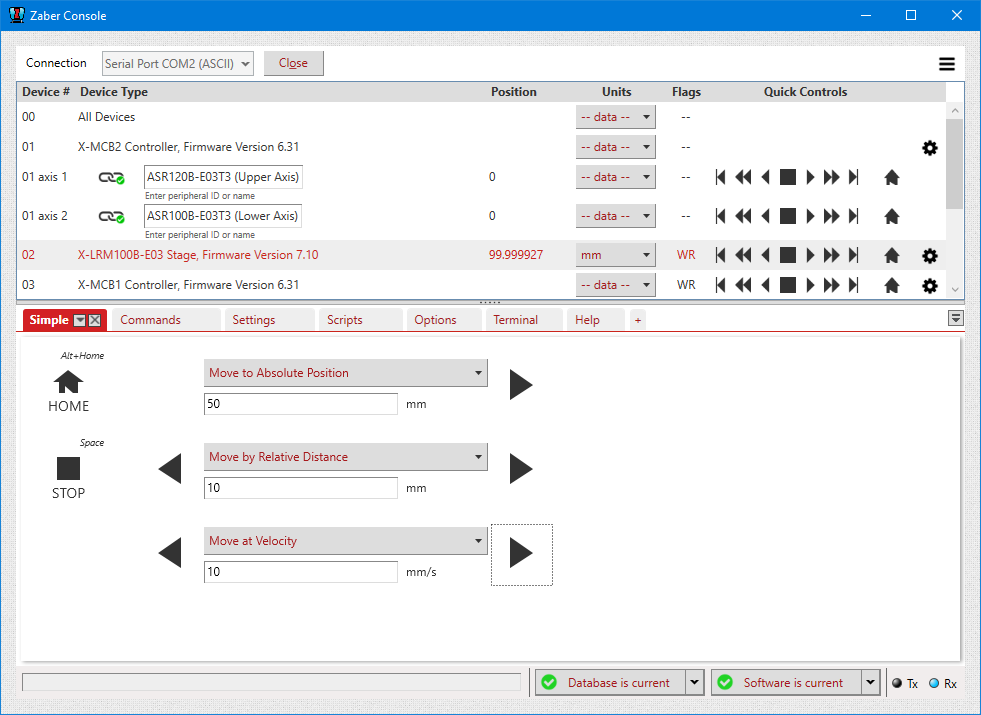
- Using the Advanced tab, text commands can be sent to the device(s)

PuTTY
PuTTY, a terminal emulator, can be used to control Zaber devices in ASCII mode on Windows.
- Download the latest Windows installer from http://www.chiark.greenend.org.uk/~sgtatham/putty/latest.html and install it
- Launch PuTTY
- Under the Terminal category:
- Set Local echo to Force on
- Set Local line editing to Force on
- Under the Session category
- Set the connection type to Serial
- Set the speed to 115200
- Enter the COM port the device(s) are connected to. Typically COM1 if directly connected to a computer, COM3 if using a USB adapter.
- Enter a connection description, Zaber Device Chain in this example, and click save. Next time the connection can be opened by double-clicking on 'Zaber Device Chain' in the Saved Sessions list.
- Click Open. A window similar to the one shown below will appear. Send a command, in this case /, and press enter. The device should respond as shown below.


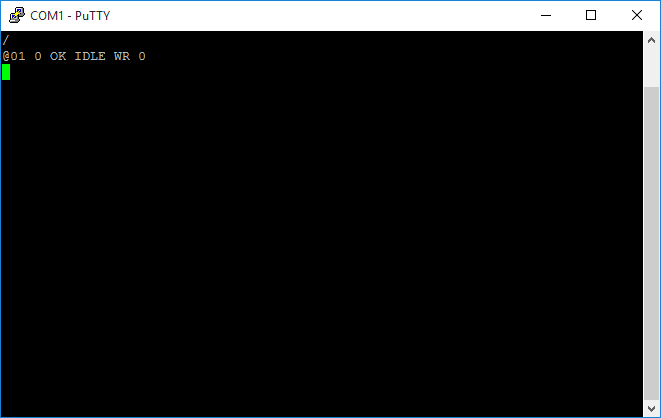
- Send a test command to check the connection. In this case /help was sent and data was received.

Minicom
Minicom is the recomended application for controling Zaber devices in ASCII mode on Linux.
- Install Minicom using your distributions package manager, e.g. for Debian and Ubuntu:
- sudo apt-get install minicom↵
- Run Minicom from a terminal
- Press Ctrl-A then O to open the options menu
- Select Serial port setup
- Set the serial device (A) to the correct device
- Set the baud rate (E) to 115200
- Disable hardware and software flow control (F, G)
- Press Enter to go back to the configuration menu
- Select Modem and dialing
- Clear out the Init and Reset strings (option A, B)
- Press Enter to go back to the configuration menu
- Select Screen and keyboard
- Set Local echo (Q) to Yes
- Press Enter to go back to the configuration menu
- Save the setup as default
- Exit
- Select Serial port setup
- Type a test command, in this example /, and press enter. The device should respond as shown below.
- Minicom can be exited by pressing Ctrl-A then X.


Troubleshooting
- If no data is received from the device(s) check the following:
- The correct serial port and baud rate are being used. Refer to the device specific User Manual for the correct settings.
- The devices are powered on. Each device should have a green light on the front panel.
- The devices are connected to the computer correctly.
Appendix B - Available Serial Ports
The following instructions outline how to find installed serial ports on your computer.
Windows
- Open Search or Run from the Start Menu or Taskbar, type "Device Manager" and press enter.
- Expand the Ports (COM & LPT) category.
- In this example there are two serial ports available (COM1 and COM15), which are both USB adaptors.


Linux
- Finding devices
- Open a terminal and execute the following command:
- dmesg | grep -E ttyU\?S↵
- The response will be similar to the following:
[ 2.029214] serial8250: ttyS0 at I/O 0x3f8 (irq = 4) is a 16550A
[ 2.432572] 00:07: ttyS0 at I/O 0x3f8 (irq = 4) is a 16550A
[ 2.468149] 0000:00:03.3: ttyS4 at I/O 0xec98 (irq = 17) is a 16550A
[ 13.514432] usb 7-2: FTDI USB Serial Device converter now attached to ttyUSB0 - This shows that there are 3 serial ports available: ttyS0, ttyS4 and ttyUSB0 (a USB adaptor)
- Checking port permissions
- Using the ports found above, execute the following command
- ls -l /dev/tty{S0, S4, USB0}↵
- The permissions, given below, show that a user has to be root or a member of the dialout group to be able to access these devices
crw-rw---- 1 root dialout 4, 64 Oct 31 06:44 /dev/ttyS0
crw-rw---- 1 root dialout 4, 68 Oct 31 06:45 /dev/ttyS4
crw-rw---- 1 root dialout 188, 0 Oct 31 07:58 /dev/ttyUSB0
- Checking group membership
- groups↵
- The output will be similar to the following:
adm cdrom sudo dip plugdev users lpadmin sambashare
Notice that dialout is not in the list - A user can be added to the dialout group with the following command
- sudo adduser $USER dialout↵
- Group membership will not take effect until the next logon.
OSX
- Finding devices
- Open a terminal and execute the following command:
- ls /dev/cu.*serial*
- The response will be similar to the following:
/dev/cu.usbserial-FTB3QAET
/dev/cu.usbserial-FTEJJ1YW - This shows that there are two serial ports available, both of which happen to be USB adaptors.
- There may be other devices that match this query, such as keyboards or some web cameras. To determine which one corresponds to your USB serial cable, try repeating the command with and without the cable connected to the computer, to see which one appears and disappears.
Appendix C - Switching between Binary and ASCII Protocols
By default, all T-Series and A-Series devices (except the A-MCB2 controller) use the Binary command protocol, while X-Series (and the A-MCB2) devices start with the ASCII command protocol. A-Series devices (with firmware 6.06 or higher) and X-Series devices can be set to use either the Binary command protocol or the ASCII command protocol. We suggest using our Zaber Console software to configure which protocol you would like to use, although the commands to configure will be available to any software.
Switching Protocols
In order to change your device between the protocols, follow these steps:
- Open Zaber Console.
- Select the COM port the device is connected to from the Serial Port dropdown and press Open.
- Use the Connection Menu to select 'Switch to the Binary Protocol' or 'Switch to the ASCII Protocol'.
- The port will close and re-open, and the device will show up in the new protocol.
Resetting to Default Protocol
If something happens when attempting the above steps that results in the device not showing up in Zaber Console, you can reset the device to factory defaults by following these steps:
- Unplug the power supply of the device
- Push the manual knob and hold it in
- Plug in the power supply again while continuing to hold the knob in
- Keep holding the knob in until the Blue LED is lit (~5 seconds), then release the knob.
If you're still unable to see the device, contact Zaber's technical support.
Note: If you are using an X-JOY3, replace holding the knob with holding down keys 1 & 8 in the instructions above.